


A 350+ person enterprise software company built around Salesforce DevOps
Copado builds the CI/CD, testing, and AI tooling that DevOps engineers and Salesforce developers use to build, deploy, and manage enterprise applications. Its product line spans CI/CD pipelines for SFDX and other platforms, cloud-based robotic testing, the Agentia™ AI-native platform, ServiceNow-focused Tango Test automation, a developer center for extending the platform, and legacy support for Metadata Pipelines customers.
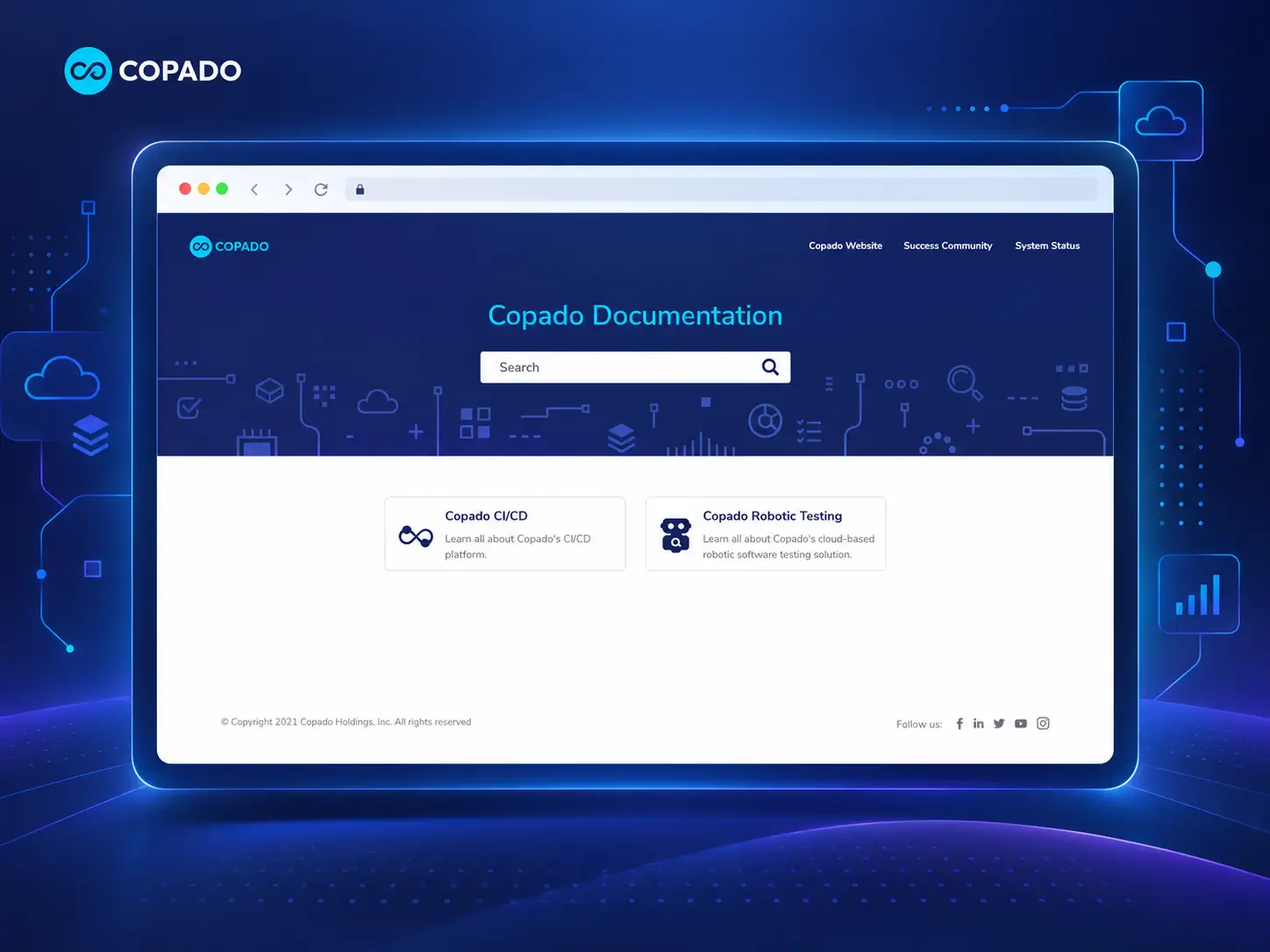
One landing page routing technical users to the right product, every time
The Copado Documentation site is a comprehensive resource for DevOps engineers, Salesforce developers, and technical users. It provides detailed guides, tutorials, and insights across Copado's CI/CD platform, Robotic Testing, AI tools (including Agentia™ and Tango Test), developer extensions, and legacy Metadata Pipelines support.
The homepage acts as a central landing page, directing users to the section relevant to their task. By organizing content by product and topic, the portal helps users quickly find the information they need to automate, integrate, and optimize DevOps processes efficiently.
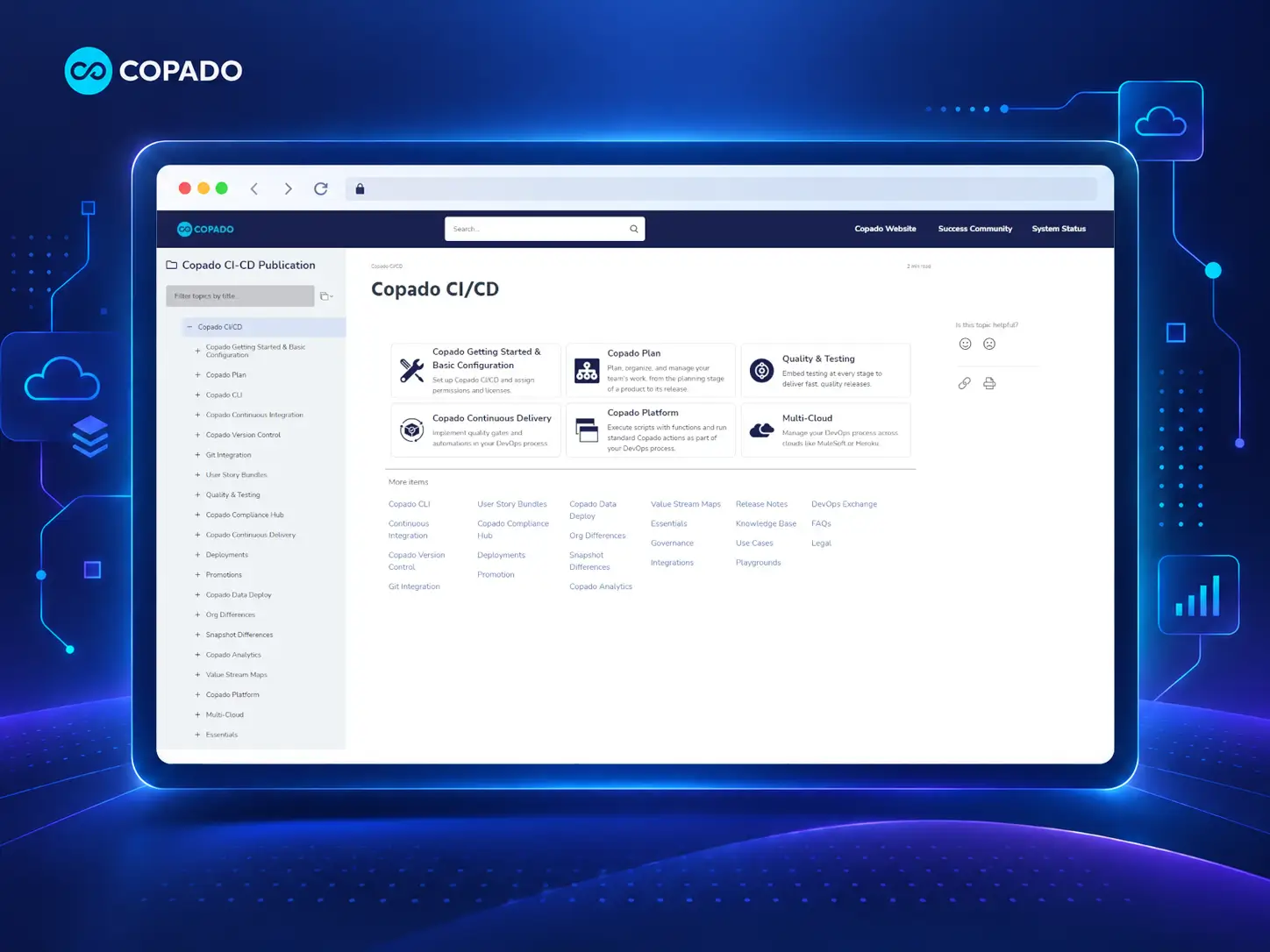
A portal designed for engineers who need the right product, the right heading, and a fast answer
A background that doubles as a table of contents
Header icons map to actual product categories — a checkmark for testing, a database for pipelines, a cloud for multi-cloud deployment — so the background gives a rough map of the product line before you even scroll.
A top nav built for troubleshooting, not just reading
The top nav links out to Success Community, System Status, and Release Notes — none of them docs pages, covering what a troubleshooting engineer needs beyond an article.
A homepage that doesn't assume everyone's on the same product
The homepage is a grid of 8 product cards, including one explicitly labeled "Legacy" for the older Metadata Pipelines flow — routing enterprise customers on an older setup instead of assuming everyone's moved on.
The same pattern, one level down
Major sections have their own mini-homepage — "Copado CI/CD," for instance, opens to its own card grid plus a "More items" list, the same pattern as the root homepage one level down.
A mini-TOC for long topics
A right-hand "In this topic" mini-TOC jumps to headings within the current page — useful for skipping straight to the relevant part of a long topic.
Notes that link, not just warn
The blue Note box links directly to what it references — a license note points straight to the License and Permission Set Groups topics, not just a warning to go check.
A feedback signal on every page
A "Was this topic helpful?" widget on every page gives a fast, page-level signal for what's working, without digging through search logs.
Data models embedded directly in the topic
Data-model diagrams are embedded directly in topics, like the Copado Plan entity relationship diagram — the same kind of embed ClickHelp supports natively via draw.io, Lucidchart, and Gliffy.
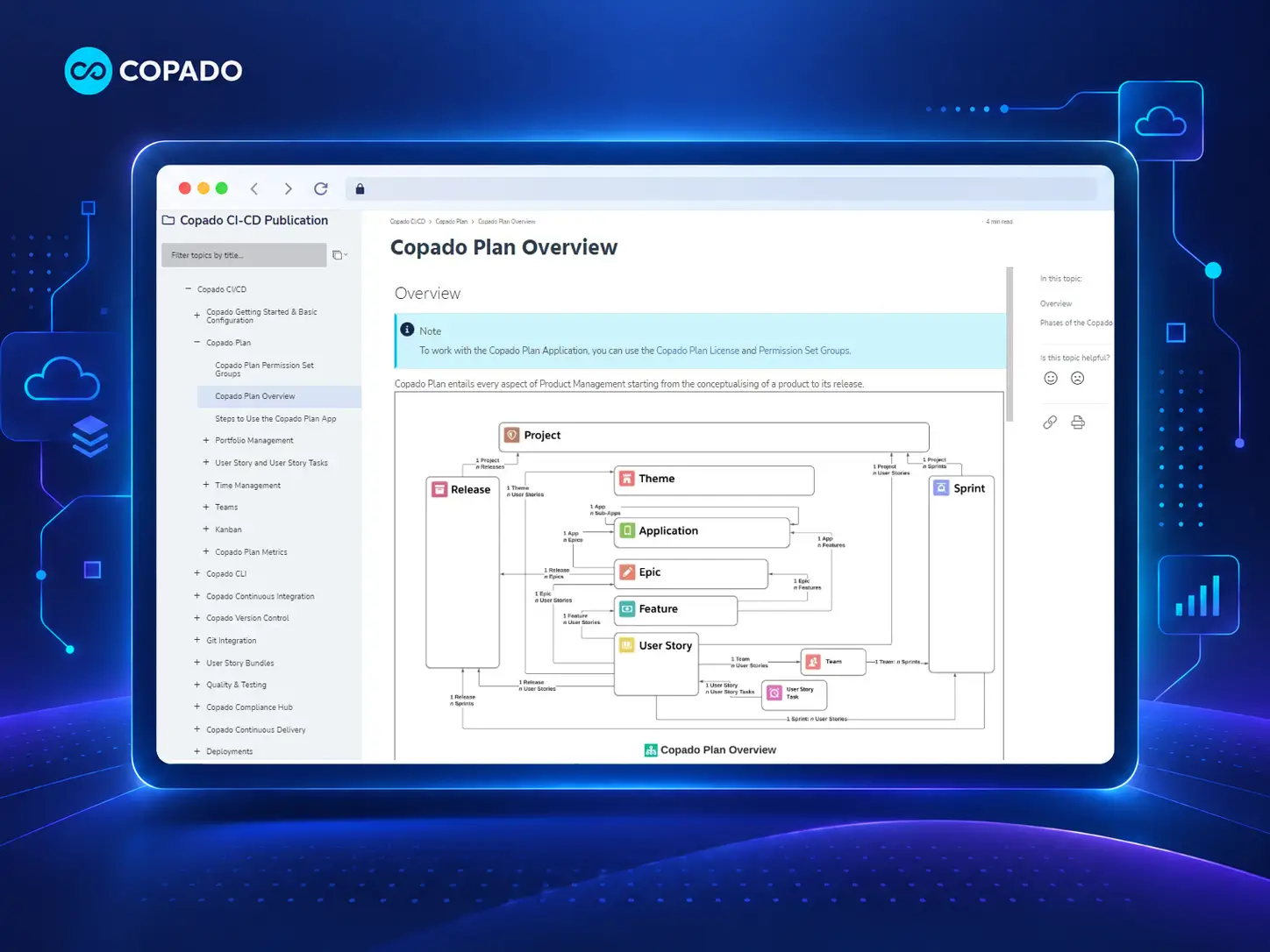
Every page aligned with the mission, without sacrificing clarity
We were able to align every page with our mission of empowering DevOps and Salesforce teams to automate, integrate, and optimize workflows seamlessly, while keeping complex information clear and accessible.— Copado
