You spent months building a documentation portal. Hundreds of topics, organized structure, accurate content. Then a user asks ChatGPT about your product and gets a confident, wrong answer, because the AI couldn’t read your portal at all.
If AI tools can’t read your documentation, your documentation doesn’t exist for a growing share of your users. Not partially, but fully invisible. And the failure is quiet: no error message, no broken link, just an AI that confidently answers from whatever fragments it could parse, or from nothing at all.
This is now a discoverability problem, a support problem, and a self-service problem – all at once.
The Platform Problem, Not a Content Problem
Before getting into solutions, it’s worth being precise about what’s actually broken, because most teams misdiagnose it.
When an AI assistant with browsing capability fetches a documentation page, it doesn’t see what a human sees. It receives raw HTML: navigation menus, breadcrumbs, header scripts, sidebar widgets, related links, footer content, cookie banners, all wrapped around the few paragraphs that actually answer the question. The AI has to decide what’s content and what’s the interface. Sometimes it gets this right. Often it doesn’t, especially when the content-to-markup ratio is low, or when the relevant text is split across multiple DOM elements that don’t clearly signal their importance.
Coding assistants like Cursor or Claude Code face the same problem from a different angle. These tools are built to work with Markdown – clean, structured, predictable. When they fetch a documentation page and get back a dense HTML response, the useful content is buried. Some tools will try to strip the markup; others surface garbled output or skip the page entirely.
The writing isn’t the problem. The structure isn’t the problem. The platform is serving content in a format that AI tools can’t reliably consume.
The Workarounds That Don’t Scale
Most teams dealing with this are improvising. The real competition here isn’t other documentation platforms — it’s the manual behavior teams fall back on when their portal doesn’t work with AI natively.
| Workaround | What breaks |
| Manually copy content into AI chats | Doesn’t scale. Content drifts out of sync with the source immediately. |
| Custom scripts to convert HTML to Markdown | Requires ongoing maintenance. Breaks when portal structure changes. |
| Separate Markdown repository | Two sources of truth. Synchronization becomes a job in itself. |
| Do nothing | AI tools give wrong answers. Users stop trusting your docs as a source. |
Instead of rebuilding your documentation workflow for AI, the right fix is a platform that makes your existing portal work with AI natively — without changing how you write or organize content.
What Has to Change at the Platform Level
Making documentation readable for AI tools isn’t about a different writing style or a separate publishing workflow. The content you already have is probably fine. The problem is how it gets served.
Three things determine whether an AI tool can work with your documentation:
- Clean content delivery. When an AI tool or search bot requests a page, the platform should return the text of that page, without navigation chrome, scripts, or structural noise. This is what allows tools like ChatGPT with browsing, Perplexity, and Google’s AI Overview to read and correctly represent your content.
- Markdown access. AI coding assistants and many AI workflows prefer Markdown over HTML. If your platform can serve any page as Markdown on request, those tools can work with your documentation directly – no conversion layer needed, no information lost in translation.
- A machine-readable index. The llms.txt standard gives AI agents a single place to understand what’s in your portal and how it’s structured. Instead of crawling hundreds of pages to build a mental model, an AI tool can read one file and understand the whole portal immediately. It’s the difference between handing someone a map and making them explore a building room by room.
None of this requires changing how documentation is written or structured. It’s entirely a question of how the platform serves what’s already there. Documentation has always needed to be readable. The definition of “readable” has changed.
Today, it is not only humans who read documentation. AI reads it too — and that changes everything. Clear writing is no longer enough; structured, contextual, and trustworthy knowledge has become critical. As AI moves deeper into product workflows, documentation is turning from a support asset into infrastructure. Alexander Muravyov, CEO at ClickHelp.
The March 2026 ClickHelp release addresses the AI readability problem at the platform level. The same topics, the same authoring workflow, the same portal, served in a way that AI tools can use more easily.
Your Documentation Becomes a Source for AI Answers
Users increasingly go to AI assistants first. When they ask about your product, the AI fetches your documentation in real time. If it gets a clean page, it gives a correct answer. If it gets a cluttered HTML response, it guesses — or fabricates.
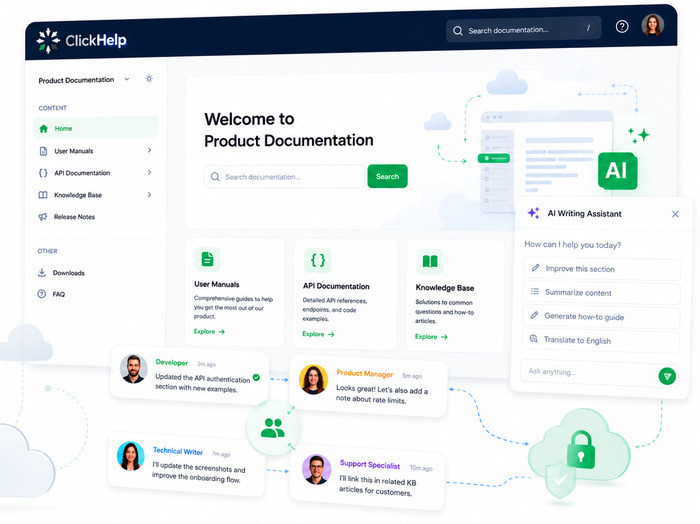
The new ClickHelp Reader UI was built from scratch to solve this. When an AI tool or search bot requests a page, it receives the topic content cleanly — without the navigation and interface elements that make traditional portals hard to parse. ChatGPT, Claude, Perplexity, and other tools with browse/fetch capability get the right content immediately.
This also matters for search engines, though the mechanism is different. Google and Bing crawl pages periodically; cleaner pages mean better indexing and a higher chance of your documentation appearing in AI-powered features like Google AI Overview. That effect is gradual, it improves as search engines re-crawl your portal, but it compounds over time.
The same structural clarity that makes content readable for AI meets WCAG 2.2 AA accessibility standards. It’s better for machines and better for people.
Read more about the new Reader UI →
Your Documentation Works Inside Developer AI Tools
Cursor, Claude Code, and similar tools prefer Markdown. They’re built for it — clean, structured, no markup to strip out. When they fetch a documentation page and get HTML back, the content gets lost or mangled.
ClickHelp now serves any topic as Markdown directly. Coding assistants can fetch documentation in the format they work best with, without any conversion layer or intermediary step.
For technical writers using AI in their own workflow, the Copy as Markdown button makes it immediate: one click, paste into your AI chat, start working. No reformatting, no copy-paste cleanup. The documentation stays in ClickHelp as the source of truth; the AI works from a clean copy.
llms.txt support rounds this out at the portal level. Rather than discovering your documentation structure page by page, an AI tool can read your llms.txt file and immediately understand what the portal contains and how it’s organized. Stripe, Vercel, and Anthropic already publish llms.txt — it’s becoming a baseline expectation for documentation portals that want to work with AI tools.
Read more about Markdown access and llms.txt →
Your Knowledge Base Becomes Actionable for AI Agents
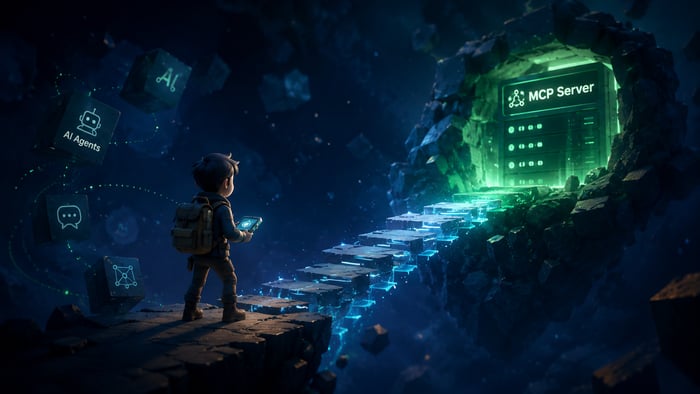
Reading is one thing. The MCP server goes further: it lets AI agents connect to your portal directly and work with it as an active resource.
With the ClickHelp MCP server, an AI agent can search documentation, retrieve specific topics, create new content, update existing topics, and flag material for review — all within a single session. The agent treats your portal as a workspace, not a static source to read from.
This is what makes workflows like these possible: an AI agent that drafts documentation updates when a new release is tagged, or one that audits hundreds of topics against a style guide and queues the ones that need attention. The work that currently requires manual copying, custom scripts, or separate repositories can be handed off to an agent that has direct, structured access to the portal.
A full walkthrough of what’s possible with the MCP server is covered in a separate article. To try it now, reach out to the success team.
What Changes, and What Doesn’t
The authoring workflow doesn’t change. The topics don’t change. The portal structure doesn’t change. What changes is who can read it — and what they can do with it.
Documentation has always needed to reach its audience. The audience now includes AI tools that fetch pages in real time, coding assistants that work in Markdown, search systems that surface AI-generated answers, and agents that can take action on your content directly.
If your portal isn’t serving clean content to those tools, the gap between “documentation exists” and “documentation is useful” is a platform problem. It’s not fixed by writing better content or reorganizing topics. It’s fixed at the level of how the platform serves what you’ve already built.
What to read next:
- New Reader UI
- Markdown access and llms.txt
- ClickHelp March 2026 Release Notes
- AI Suite overview
- MCP Server
Good luck with your technical writing!
ClickHelp Team
FAQ
Does the new Reader UI change how I write or organize content?
No. The authoring workflow in ClickHelp is unchanged. The new Reader UI changes how content is served to readers and AI tools — not how it’s created. Your existing topics, structure, and workflow carry over.
Will my documentation immediately rank better in Google after switching to the new Reader UI?
The new interface serves cleaner content to Google’s crawlers, which improves how your pages are indexed. The timing depends on Google’s crawl schedule for your portal — the effect is real but gradual, not immediate.
What’s the difference between the Copy as Markdown button and fetching a page as Markdown via URL?
The Copy as Markdown button is used when authors or readers want to take a topic into an AI tool to work with it more deeply: whether to refine content, explore it further, or better understand the material. Fetching via URL is designed for automated workflows, such as AI agents, coding assistants, or custom integrations that need programmatic access to your documentation.
What is llms.txt and do I need to set it up manually?
llms.txt is an emerging standard that gives AI tools a structured overview of your documentation portal. ClickHelp supports it, and you have full control over it through settings to match your portal’s structure.
How is this different from just having good SEO?
SEO optimization targets search engine crawlers and focuses on rankings in traditional search results. AI-friendly documentation targets a broader set of tools: AI assistants with browsing, coding assistants, AI agents, and focuses on whether those tools can correctly read and use your content. Clean content structure helps both, but the goals and mechanisms are different.
What does switching to the new Reader UI involve?
Switching to the new Reader UI is simple — it’s just a setting in the portal. The main thing to keep in mind is that if you use custom branding with CSS, some adjustments may be needed, since the new UI comes with an updated HTML structure. If you’d like help updating your branding, our customization services are available — feel free to contact us at https://clickhelp.com/support/