Documentation teams are expanding where and how they deliver content — AI assistants need access to structured knowledge, users expect help wherever they work (not just in documentation portals), and managing multiple publication variants becomes more complex as product lines grow.
The January 2026 release addresses these scenarios with Markdown export designed for AI workflows, independent AnswerGenius configuration for external sites, and improvements for managing multi-publication projects.
AnswerGenius for External Sites: Separate Configuration from Portal
AnswerGenius, our AI-powered bot, can be used beyond your documentation portal. During beta testing, some customers embedded the widget in their websites and products. Based on their feedback, we’ve seen that external placements often need different appearance and behavior than the portal widget.
For example, a SaaS company might embed AnswerGenius in their application’s help panel with concise responses tailored to in-app workflows, while their public documentation portal provides comprehensive technical explanations. A B2B software vendor might want a professional, brand-aligned widget on their marketing site to answer pre-sales questions, while their technical docs use different terminology and prompt instructions.
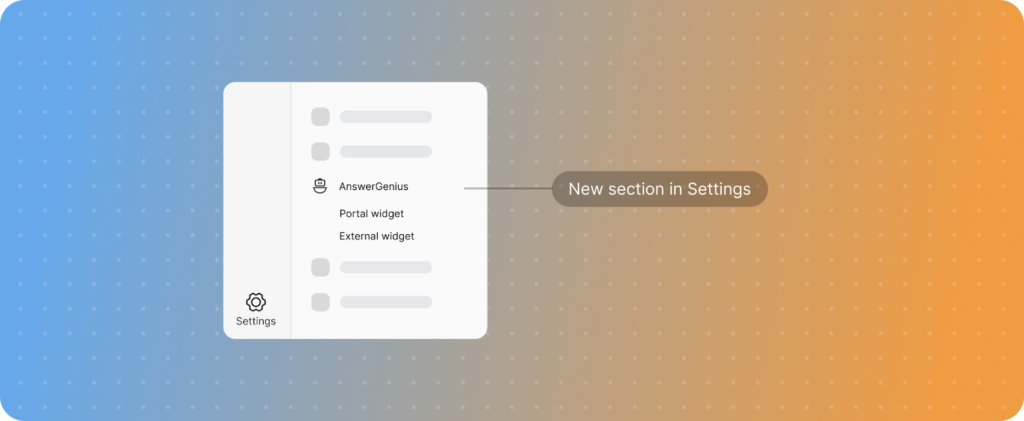
To support these scenarios, we’ve separated the configuration into two independent sections:
- Portal Widget — Controls AnswerGenius behavior inside your ClickHelp documentation portal
- External Widget — Controls AnswerGenius when embedded in external sites, applications, or marketing pages
Each section has independent settings:
- Enable or disable — You can enable the external widget without activating it on your portal, or vice versa
- Custom prompts — Set different terminology, response styles, or instructions for each context
- Primary color — Choose a different accent color for each widget to match your brand guidelines
- Welcome messages and placeholders — Customize the initial experience for each audience
The External Widget section includes a copy-ready HTML snippet for embedding AnswerGenius in your sites, with instructions for your development team.
This is useful if you:
- Embed documentation assistance in your product UI or internal tools
- Need different AI assistant behavior for public marketing pages versus technical documentation
- Want to track portal and external widget usage separately
- Need the external widget enabled while keeping it off your main portal.
Markdown Export
As AI tools become central to documentation workflows, teams need to feed their content to LLMs — for chatbots, AI agents, context-aware search, and custom automations. Markdown is well-suited for this: LLMs parse it efficiently, and humans can read and edit it without specialized tools.
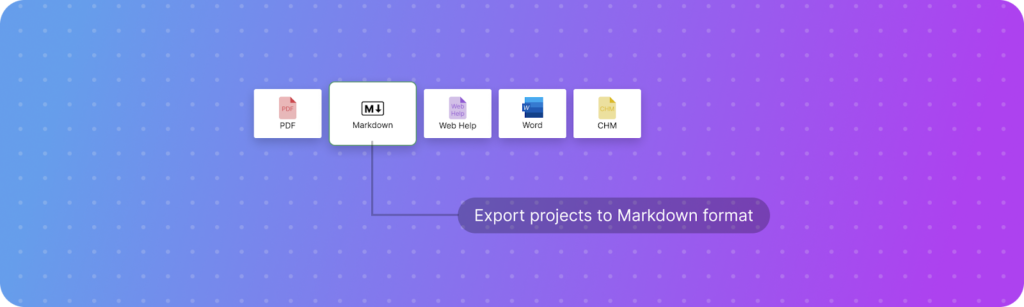
You can now export projects to Markdown format through the ClickHelp UI or API. The export includes:
- Topics as .md files
- Images and files from storage
- Table of contents structure as a YAML file.
The YAML table of contents is structured for LLM processing while remaining readable in standard Markdown editors like Obsidian or VS Code.
The API export enables CI/CD integration. For example, you can configure your build pipeline to export updated documentation whenever you publish a new release, automatically updating your custom chatbot’s knowledge base or syncing content to your LLM-powered support system.
Use Markdown export to:
- Provide documentation context to LLMs for chatbots, agents, or custom AI tools
- Archive projects in a portable, vendor-neutral format
- Process content with custom scripts or analysis tools
- Automate documentation delivery to downstream systems.
The export supports standard Markdown elements including lists, tables, inline formatting, code samples, and images with relative paths.
Publishing Improvements
Preserve Settings on Update
Projects with multiple publications often serve different audiences, product versions, or subscription tiers. A software company might publish separate documentation for their Free, Professional, and Enterprise editions, each with different icons and visibility settings. An API documentation project might have separate publications for different API versions, each configured with distinct access controls.
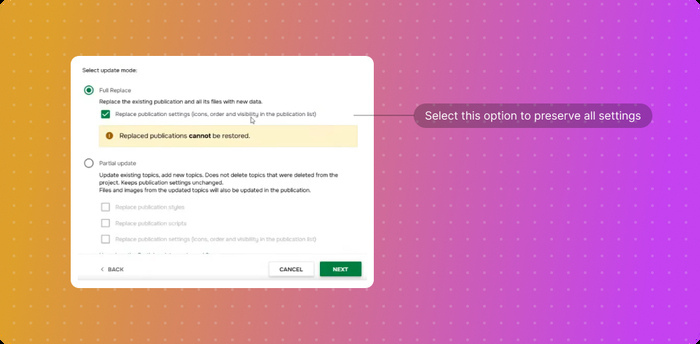
You can now preserve publication-specific settings when updating content. Enable this option in the update wizard, and your custom icons, visibility preferences, and other publication configurations will remain intact while the content updates.
This is useful for projects where:
- Different publications target different customer segments or user groups
- Each publication has distinct branding or access requirements
- You maintain multiple product versions or documentation editions from a single project
Output Tags Visibility
Continuing improvements for projects with multiple publications, and based on customer requests, we’ve added output tag display on the Projects page.
When you publish content with conditions and output tags, those tags now appear alongside each publication. This helps you:
- Identify which content variants are published at a glance
- Distinguish between publications with similar names
- Audit conditional content without opening publication settings
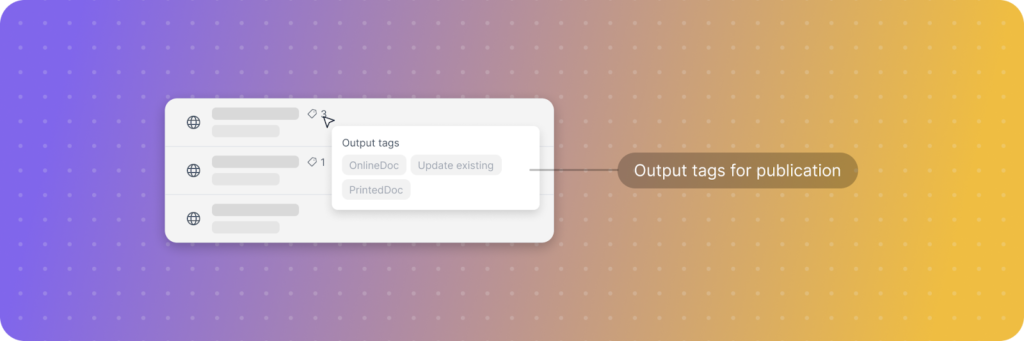
This is particularly useful for projects that maintain multiple versions, product editions, or audience-specific variants of the same documentation.
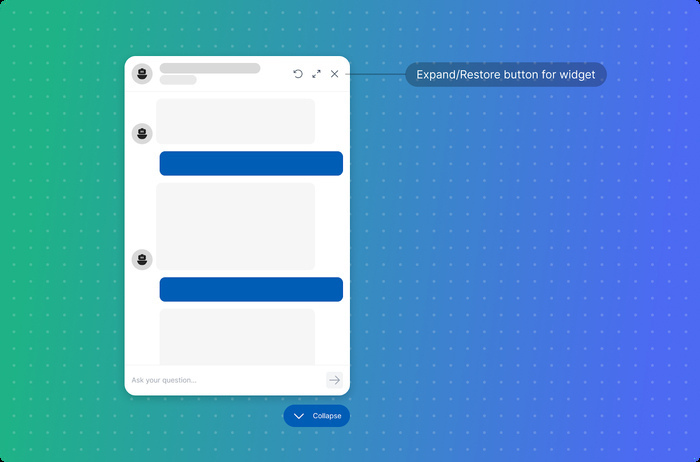
Expand/Restore Button for AnswerGenius
Some readers engage extensively with AnswerGenius, particularly when troubleshooting complex issues or learning detailed product workflows. These conversations can generate comprehensive responses with code examples, step-by-step instructions, or multi-part explanations. The widget can now expand to maximize reading space for these longer interactions, then restore to normal size when needed.
Ready to Try It Out?
External Widget settings, Markdown export, and publication management improvements are already available in the January 2026 release. Trial users can start exploring Markdown export and multi-publication workflows today, while existing customers will receive access as part of the upcoming general rollout in the coming weeks.
Need help exploring these enhancements? Book a demo with our team!
Good luck with your technical writing!
ClickHelp Team
Author, host and deliver documentation across platforms and devices.