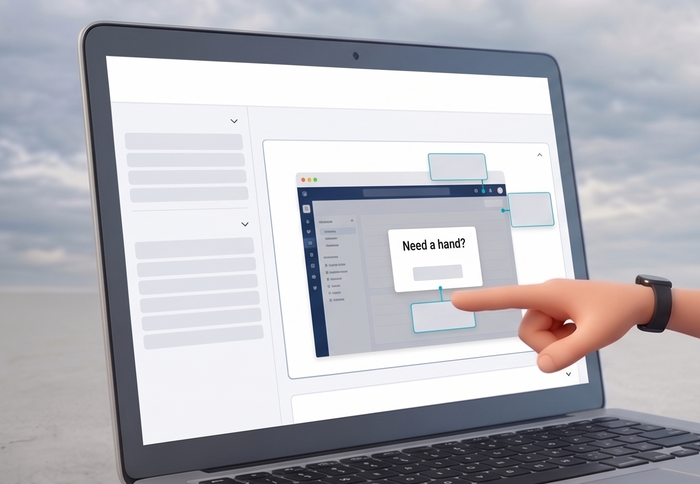
A new sales employee’s first week with complex CRM software often follows a familiar pattern: constant switching between the application and separate training documents, mounting frustration, and tasks that take far longer than they should. In-app help breaks this cycle by embedding step-by-step guidance directly inside the tool, so learning happens in the moment, without ever leaving the workflow.
Let’s discuss what in-app help is, how it works through features like in-context tooltips, interactive walkthroughs, and smart triggers, and why it has become a standard approach to user onboarding and digital adoption in modern software.
What Is In-App Help
In-app help is a category of embedded assistance built directly into software applications. Rather than pointing users to external documentation portals, PDF guides, or separate support websites, it delivers guidance, training resources, and self-service tools precisely where work happens — inside the app itself.
At its core, in-app help encompasses four building blocks:
- Tooltips and hotspots that explain individual features on demand
- Interactive walkthroughs that guide users through multi-step tasks
- In-app messaging systems that deliver timely nudges and announcements
- Embedded knowledge bases that provide searchable documentation without disrupting workflow
Traditional help approaches force a context switch: users abandon what they are doing, open a browser tab, search for an answer, and try to translate generic instructions back to their specific situation. In-app guidance eliminates that friction by surfacing in-context support tied directly to the user’s current location in the application and the action they are trying to complete.
Organizations across industries use in-app support to serve two distinct audiences. For external customers, it simplifies product adoption and drives long-term engagement. For internal teams, it accelerates employee onboarding, supports structured training programs, and reduces time lost to repetitive support escalations. Both use cases share the same underlying benefit: users become self-sufficient faster.
The practical impact shows up across the user journey. In-app guidance reduces drop-off at critical moments, sustains engagement beyond the initial login, and converts confusing software into something users can genuinely navigate with confidence. It also shifts the culture of software use: encouraging independent problem-solving rather than reliance on human support.
Types of In-App Help
In-app help covers a wide range of delivery formats, each suited to a different moment in the user experience.
Interactive walkthroughs guide users step-by-step through multi-part processes — ideal for complex workflows that need to be completed in a specific sequence. Persistent tooltips sit alongside UI elements and offer instant explanations when a user hovers or clicks, making them well suited for feature discovery without interrupting the flow.
Contextual guides are among the most effective formats. They activate automatically based on where a user is in the application or what action they initiate, delivering a prompt like “Click here to approve” exactly when the user reaches that point in a workflow. The guidance is situational rather than generic, which dramatically increases its relevance.
Onboarding tours introduce core functionality to new users right after their first login. Unlike a static product video, a well-designed tour responds to user progress and skips steps the user has already completed. Self-service chatbots handle instant query resolution through natural language, while embedded short videos — a 30-second clip placed next to a confusing dashboard element, for example: provide visual context at the moment of need.
Fully embedded knowledge bases allow users to search for documentation without leaving the application. Progressive messaging systems reveal layered tips as users demonstrate proficiency, matching content depth to the user’s current skill level. Finally, task checklists help users track their progress through onboarding milestones, giving them a clear sense of what remains to be done.
These formats support both consumer-facing products and enterprise software platforms. For compliance-heavy environments, repeatable guided processes and targeted feature spotlights are particularly valuable, ensuring that employees follow required procedures consistently and that training can be verified at scale.
Key Features of In-App Help Tools
Modern in-app help platforms go well beyond simple pop-ups. The features that distinguish leading tools fall into five areas.
Behavioral Analytics
Advanced analytics engines track how users interact with the application: which features they use, where they drop off, how long walkthroughs take to complete, and which content drives the highest engagement. These insights allow teams to refine guidance continuously, prioritize high-impact improvements, and measure the ROI of their in-app support investment.
No-Code Content Creation
Drag-and-drop editors, customizable templates, and visual workflow builders allow non-technical teams to create and update walkthroughs, hotspots, and messaging without developer involvement. This matters significantly for organizations that need to respond quickly to product changes or roll out new onboarding flows within days rather than weeks.
Smart Triggers and User Segmentation
The ability to deliver personalized guidance based on user role, onboarding stage, historical behavior, or A/B-tested variants is what separates effective in-app support from generic pop-ups. A first-time user sees a welcome tour; a manager sees advanced workflow tips; a user who skipped a key feature receives a targeted nudge. Segmentation ensures that every user encounters only the most relevant content at the right moment.
Integration and Multilingual Support
Leading platforms connect to existing software ecosystems via APIs, native plugins, and webhooks, supporting integrations with tools like Salesforce, Jira, Slack, and custom data pipelines. Robust multilingual support allows global teams to deliver consistent in-app guidance across languages without maintaining separate content libraries for each market.
Feedback Loops and Reporting
Built-in feedback mechanisms let users report issues or suggest improvements directly from within the guidance itself. Customizable reporting dashboards surface reductions in support ticket volume, decreases in time-to-proficiency, and changes in feature adoption rates, giving product and enablement teams clear evidence of what is working.
Best In-App Help Tools
The market for in-app help software ranges from lightweight tools suited to small teams to enterprise-grade digital adoption platforms with advanced compliance and AI capabilities. The table below covers the leading options.
| Tool | Category | Key Strengths | Ideal For |
| Pendo | In-App Help / DAP | Advanced walkthroughs, in-depth behavioral analytics, dynamic onboarding flows, NPS surveys | Enterprise product teams, SaaS scale-ups |
| Whatfix | In-App Help / DAP | Contextual guidance overlays, full digital adoption platform (DAP), AI-driven personalization, self-healing flows | Employee training in complex SaaS, regulated industries |
| WalkMe | In-App Help / DAP | SmartTips with AI predictions, no-code visual editor, behavior-based triggers, enterprise security | Large-scale adoption programs, global teams |
| UserGuiding | In-App Help | Interactive tours, hotspots, checklists, resource centers, email/Slack sync | SMBs, quick no-code setups, marketing-led growth |
| Userlane | In-App Help | Fully automated walkthroughs, self-healing AI guides, 360° analytics dashboard | Complex enterprise apps, no-dev dependency |
| Appcues | In-App Help | Advanced segmentation, A/B testing pipelines, multi-channel messaging (in-app/email/push) | Growth-focused products, experimentation |
| ClickHelp | Documentation portal | Hosted knowledge base and user documentation portal; content links directly from in-app tooltips and help widgets; supports versioning, multilingual docs, and access control | Teams that pair in-app guidance with deep-dive reference documentation for customers and employees |
The tools above fall into two broad categories that serve different but complementary needs. In-app help platforms (Pendo, Whatfix, WalkMe, UserGuiding, Userlane, and Appcues) deliver guidance inside the application at the moment of action. Documentation portals like ClickHelp sit alongside these tools, providing the deeper reference layer that users reach when a tooltip or walkthrough is not enough. Many teams link in-app help widgets directly to ClickHelp articles, creating a seamless path from a quick in-context nudge to full structured documentation.
Choosing the right combination depends on your organization’s context. Smaller teams often start with UserGuiding for rapid in-app deployment paired with a documentation portal for knowledge management. Enterprises with regulated workflows typically require the scalability and compliance features of platforms like Pendo or Whatfix. When evaluating options, consider analytics depth, native mobile support, integration compatibility with your tech stack, and whether the primary focus is customer product adoption or internal employee training.
Conclusion
In-app help changes how users relate to software. By embedding in-context guidance, self-service support, and adaptive training directly into applications, it drives faster onboarding, higher feature adoption, and measurable reductions in support demand — without requiring users to ever leave their workflow.
As software products grow in complexity and user expectations rise, in-app guidance has shifted from a nice-to-have to a core component of product experience strategy. The organizations that invest in it earliest tend to see the strongest gains in both customer retention and employee productivity.
Good luck with your technical writing!
Author, host and deliver documentation across platforms and devices
FAQ
What is in-app help used for, and what makes it essential for modern software?
In-app help delivers immediate, in-context guidance and support directly within the application. It helps users and employees master features, complete tasks independently, and discover advanced capabilities without switching to external resources.
How does in-app help improve onboarding for new customers and employees?
It uses interactive walkthroughs, personalized tours, progress checklists, and milestone-based tips to guide newcomers through the platform. This accelerates time-to-value, reduces early drop-offs, and builds lasting confidence that drives long-term retention.
What are the key features that define the best in-app help tools?
Behavioral analytics for usage insights, no-code customizable content (guides, hotspots, messaging), intelligent triggers and segmentation for personalization, seamless integrations, A/B testing, feedback loops, and dashboards to track engagement, ROI, and support ticket reduction.
Can in-app help effectively reduce support tickets and training time across an organization?
Absolutely. By delivering self-service content and knowledge at the point of need, it empowers users to resolve issues independently, cutting new hire training time from weeks to days.
How do you choose the right in-app help platform?
Evaluate pricing and scalability, depth of analytics, ease of content creation (no-code vs. developer-heavy), integration compatibility with your tech stack, team size, and whether the focus is employee training or customer engagement.
What content types are most effective in in-app help implementations?
Tooltips for quick facts, embedded short videos for visual demos, targeted messaging, searchable knowledge articles, interactive step-by-step guides, task checklists, and behavior-triggered hotspots or pop-ups — all tailored to user roles and actions.