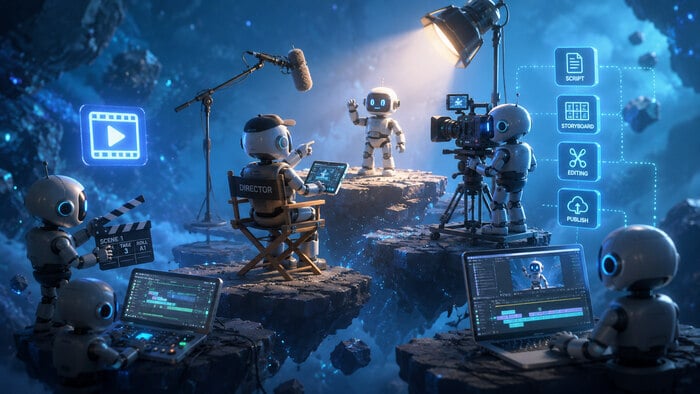
Screen recording tools and AI services significantly streamline video tutorial production for technical documentation. They enable content creators to capture, edit, and distribute instructional content efficiently.
Tools such as Snagit, OBS Studio, and AI-powered platforms like Descript help both startups and enterprise teams produce high-quality tutorials. These videos can then be seamlessly embedded into documentation platforms like ClickHelp via URLs or HTML embed codes.
For example, a technical writer preparing API documentation can record a step-by-step walkthrough showing how to send an authenticated request and inspect the response in Postman. An AI-powered editor can clean the audio, generate captions, and add annotations. The final video may be hosted on platforms such as Wistia, Vimeo, or YouTube and embedded into a ClickHelp topic using an iFrame snippet.
In this article, we explore how emerging AI capabilities further enhance these workflows.
Benefits of Video and AI in Technical Documentation
Video content helps address key challenges in technical communication by adding dynamic visual guidance. It can function either as standalone instructional material or as a complement to written documentation.
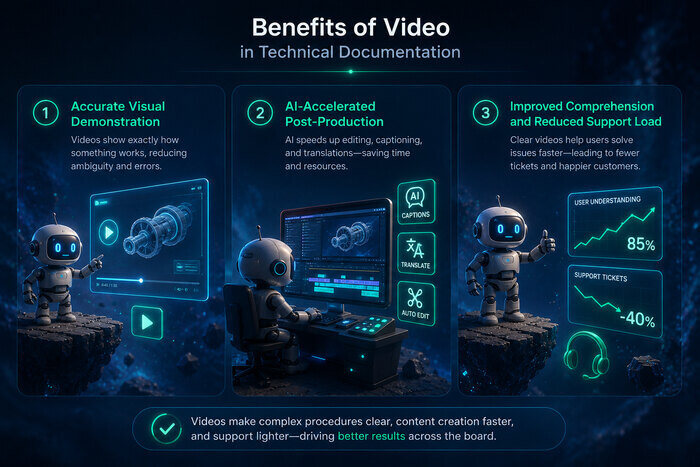
1. Accurate Visual Demonstration
Screen recording tools like Snagit and OBS Studio enable precise capture of software interfaces and workflows. This is especially valuable for demonstrating:
- Step-by-step configuration processes
- API request testing
- UI navigation flows
- Troubleshooting procedures
The result is clearer, less ambiguous instructional content.
2. AI-Accelerated Post-Production
AI services such as Descript automate traditionally time-consuming tasks:
- Audio cleanup
- Caption generation
- Voiceover creation
- Translation
- Filler word removal
This can significantly reduce production time while maintaining quality.
3. Improved Comprehension and Reduced Support Load
Combining screen recording with AI editing enhances documentation by visually explaining complex concepts such as configuration steps, API calls, and troubleshooting sequences.
Research in learning science consistently shows that multimodal content (visual + text) improves comprehension and retention compared to text-only materials. In documentation environments, this often correlates with reduced support requests and higher self-service success rates.
ClickHelp Integration
ClickHelp supports multimedia embedding, making it well suited for incorporating video into technical documentation projects.
ClickHelp allows integration with major hosting platforms such as YouTube and Vimeo. Videos can be inserted:
- Directly via URL (e.g., YouTube)
- Using HTML embed codes (e.g., Vimeo or other hosting services)
For detailed instructions on embedding videos, refer to the official user manual.
Beyond the tools covered here, there are many other established platforms commonly used in technical documentation workflows, including enterprise LMS systems, interactive tutorial builders, and corporate video hosting services.
Screen Recording and AI Video Tools
Below is an overview of widely used tools for creating video tutorials in technical documentation.
Screen Recording Tools
- Screencast-O-Matic (ScreenPal). A versatile screencast tool offering free and premium plans. It includes editing features such as annotations, transitions, and cursor highlights. Videos can be shared via links or hosted on the platform.
- Loom. Designed for quick recording and sharing. Supports screen, webcam, or both simultaneously. Automatically generates shareable links that integrate with tools like Gmail, Slack, and Jira.
- Bandicam. A Windows-based high-performance screen recorder capable of long-duration recording. Suitable for extended demos or simulations.
- Camtasia. Professional tutorial software with advanced editing capabilities including animations, quizzes, and interactive elements. Widely used in corporate and enterprise environments.
- Adobe Captivate. Focused on e-learning and interactive training. Supports branching scenarios, responsive design, and SCORM exports.
- Screenium (Mac). Mac-exclusive screen recording tool with built-in publishing options to platforms like YouTube and Vimeo.
- Icecream Screen Recorder. Supports full or partial screen capture, annotations, and webcam overlays.
- Apowersoft. Feature-rich recording tool with real-time editing, region selection, and scheduling capabilities.
AI Video Generation and Enhancement Tools
- Trupeer. Transforms recordings or scripts into AI-enhanced tutorials with automated voiceovers and subtitles.
- Guidde. Uses a browser extension or desktop app to capture workflows and generate AI-powered instructional videos.
- HeyGen. Creates avatar-based videos from scripts with lip-synced AI presenters, multilingual output, and animated elements.
- Synthesia. Generates avatar-based training videos from text scripts. Suitable for scalable onboarding and multilingual content.
- Colossyan. Produces avatar-based videos with lip-sync and multilingual support for training and explainer content.
Industry Popularity and Adoption
Snagit is widely adopted among technical writers due to its annotation features and ease of creating step-by-step guides.
OBS Studio remains a popular open-source alternative, valued for customization and cross-platform support.
Descript is recognized for text-based video editing workflows, allowing users to edit video by modifying transcripts — a feature particularly appealing for collaborative content production.
Implementation Workflow
A structured workflow ensures efficient video production and integration:
1. Capture
Select a screen recording tool based on your goals. For example:
- Camtasia for advanced editing control
- Loom for rapid recording and instant sharing
2. AI Enhancement
Import footage into AI tools to:
- Generate voiceovers
- Add captions
- Detect key moments
- Improve audio quality
3. Hosting and Embedding
Upload videos to YouTube, Vimeo, Wistia, or another hosting platform. Embed into ClickHelp using URLs or HTML blocks.
4. Testing and Maintenance
- Verify playback across devices
- Add transcripts for accessibility and SEO
- Update videos as interfaces or workflows change
Why Videos Strengthen Knowledge Bases
Video transforms static documentation into interactive learning experiences.
Enhanced Comprehension
Visual walkthroughs simplify complex processes such as software configuration or API integration. Motion, cursor tracking, and real-time interaction provide context that static screenshots cannot.
Improved User Experience
Videos support different learning preferences and are particularly effective for onboarding, troubleshooting, and product walkthroughs.
Business Impact
Organizations that enrich documentation with video often observe:
- Increased user engagement
- Higher completion rates in tutorials
- Reduced repetitive support inquiries
While exact metrics vary by industry, multimedia documentation consistently improves usability and knowledge transfer.
Conclusion
Combining AI-powered video tools with traditional screen recording software and platforms like ClickHelp creates a scalable ecosystem for modern technical documentation. Technical writers gain efficiency and flexibility, while users benefit from clearer explanations and improved learning experiences.
Multimedia documentation is no longer optional — it is becoming a standard component of effective technical communication.
Good luck with your technical writing!
Author, host and deliver documentation across platforms and devices
FAQ
What are the main benefits of using AI in video tutorial creation?
AI tools automate editing, captioning, voiceovers, and translation. This reduces production time and improves accessibility.
Do I need advanced video editing skills to create tutorials?
No. Many tools (e.g., Loom, Guidde, Synthesia) are designed for non-professional editors and include automated workflows.
Can videos improve knowledge base performance?
Yes. When used appropriately, videos enhance comprehension and user engagement, particularly for complex workflows.
How do I embed videos into ClickHelp?
You can insert YouTube links directly or use HTML embed codes for platforms like Vimeo. Detailed instructions are available in the ClickHelp user manual.
Are there alternatives beyond the tools listed in this article?
Yes. The market includes many additional established platforms for screen recording, AI video generation, and corporate hosting solutions. The right choice depends on your documentation workflow, security requirements, and budget.
When should I use avatar-based AI video tools?
Avatar-based tools are useful for scalable training, multilingual onboarding, and standardized corporate messaging.