Elmira, Author at ClickHelp - Page 4 of 28
Back
to top

Author: Elmira

Elmira

About Elmira

Hi, I’m Elmira, as part of the ClickHelp team, I stay updated on the latest trends and best practices in technical writing, user documentation, and project management to bring you valuable insights. My goal is to make your reading experience both enjoyable and impactful. Feel free to explore our blog for more helpful resources and inspiration!

Do You Really Need Structured Authoring to Use iiRDS?

Do You Really Need Structured Authoring to Use iiRDS?

iiRDS (Intelligent Information Request and Delivery Standard) is an open, vendor-neutral specification designed to enable more intelligent, context-aware delivery of technical information. It allows organizations to package and deliver documentation so that users and systems can find exactly what they need, when they need it, across various platforms and devices. A common misconception is that…

Continue reading »
Posted in Technical Communication on 12/3/2025

How to Add a Checkbox in Word

How to Add a Checkbox in Word

Checkboxes are a powerful feature in Microsoft Word, allowing users to create interactive lists, forms, and checklists. For instance, a technical writer might use checkboxes in a user manual for creating a step-by-step troubleshooting checklist. This would allow the readers to check off each step as they go through the steps toward the resolution of…

Continue reading »
Posted in Documentation Management on 12/2/2025

How Knowledge Graphs Can Improve Documentation Creation: A Business-Focused Technical Perspective

How Knowledge Graphs Can Improve Documentation Creation: A Business-Focused Technical Perspective
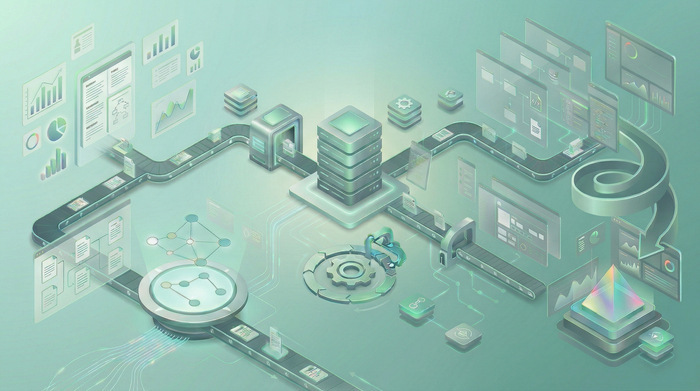
Knowledge graphs offer a transformative solution, turning disconnected documents, terms, and processes into a unified, intelligent network of information. By adding semantic meaning and context to content, they make documentation easier to search, navigate, personalize, and maintain at scale. Continue reading »
Posted in Documentation Management on 11/26/2025

New in ClickHelp: Universal Links, Import via API, Inactive Account Controls

New in ClickHelp: Universal Links, Import via API, Inactive Account Controls

The latest ClickHelp release focuses on practical improvements:  Let’s take a look at what’s new! Universal Links: Share Once, Work Everywhere We’re introducing Universal Links — an upgrade to how URLs behave in ClickHelp. Now, any link to a topic, project, or publication in ClickHelp is smart. Why It Matters When I’m chatting with a…

Continue reading »
Posted in ClickHelp News on 11/20/2025

Support Site Architecture and Documentation Role

Support Site Architecture and Documentation Role

What Is a Support Site? A support website is a centralized platform designed to provide comprehensive assistance to consumers of a service or product. It serves as a web-based, single point of access where users can find answers, resolve issues, and access resources with minimal direct interaction with support staff. Typically hosted online, a support…

Continue reading »
Posted in Technical Communication on 11/12/2025

Self-Service Revolution: Redefining Customer Support Paradigms

Self-Service Revolution: Redefining Customer Support Paradigms

Customer support has undergone a revolution. What was once a phone-centric, agent-dependent process has transformed into a digital-first, self-service-driven ecosystem. This shift isn’t just incremental—it has fundamentally redefined how businesses interact with their customers, drastically reducing costs, accelerating issue resolution, and giving users unprecedented autonomy. Customers expect support anytime, anywhere. Millennials and Gen Z, in…

Continue reading »
Posted in Technical Communication on 11/5/2025

ClickHelp Update: Better AnswerGenius Responses, WCAG 2.2 AA, File Manager Improvements

ClickHelp Update: Better AnswerGenius Responses, WCAG 2.2 AA, File Manager Improvements

We’re rolling out improvements that make everyday work simpler: AnswerGenius now gives more complete answers in chat (and does it faster), the Reader UI aligns with WCAG 2.2 AA, the improved File Manager is built into the Topic Editor, imports from MadCap Flare bring index keywords, and WebHelp search in Japanese gets a small boost….

Continue reading »
Posted in ClickHelp News on 10/29/2025

How Do I Create a Table of Contents in Word

How Do I Create a Table of Contents in Word

A Table of Contents (TOC) in Microsoft Word helps readers navigate long documents by listing headings with page numbers. Below you’ll learn how to insert, create subsections, customize, and update a TOC in Word—and how the ClickHelp TOC solves multi-author and web-publishing needs. Why You Need a Table of Contents in Word A table of…

Continue reading »
Posted in Documentation Management on 10/28/2025

A Guide to Different Types of Manuals in IT

A Guide to Different Types of Manuals in IT

Manuals are a valuable resource in guiding end-users, technicians, and personnel to operate products, perform tasks, and adhere to procedures. This is particularly relevant in IT, where technological complexity demands accurate, well-organized documentation. Understanding the different types of manuals enables organizations to develop tools that simplify product usage, enhance safety, and improve efficiency. This article…

Continue reading »
Posted in Technical Writing on 10/22/2025

How to Create a Signature in Word

How to Create a Signature in Word

Sometimes, when you try to insert a signature into a Word document, the image may appear distorted or enlarged. Even if you delete it and try inserting a new signature line or copy it from another file, the same issue can occur. Adjusting the box size often just increases the zoom, making the signature appear…

Continue reading »
Posted in Documentation Management on 10/20/2025
Ask AI about ClickHelp
ChatGPT ChatGPT Claude Gemini Grok Perplexity