
Diagrams and flowcharts are visual tools that teams use to create process flows, network diagrams, system models, and visuals from text, data, Excel, code, or ideas. They support collaboration, AI features, templates, shapes, cloud apps, security, sharing, planning, and documentation for products, projects, and companies. Today, we explore the best diagramming software for 2026, uncover what makes each solution stand out, and guide you toward the right fit for your team.
What Are Diagrams and Flowcharts?
A diagram visually maps data, systems, processes, relationships, ideas, or structures using shapes, lines, labels, and connections — simplifying complex concepts quickly for developers, teams, writers, and stakeholders.
Diagrams come in many forms, each tailored to specific needs:
- UML diagrams for software architecture and class interactions
- Entity-relationship (ER) diagrams for database schemas
- Network diagrams for mapping IT systems and connections
- Organizational charts for company hierarchies
- Mind maps for creative brainstorming
- Wireframes for app or website layouts
- Gantt charts for project scheduling
Flowcharts detail sequences, decisions, workflows, logic paths, and steps: ideal for support resources, training materials, product planning, process documentation, compliance guides, or technical manuals.
Users can build them online via web apps or desktop software, importing from Excel, text, code, or CSV files, then editing, customizing, and exporting to documents, presentations, or web views for easy sharing.
What Makes the Best Diagramming Software?
The best diagramming software combines features that streamline creation, collaboration, and management for teams of all sizes. Here are the key attributes to look for:
- AI-powered generation. Auto-creates diagrams from text prompts, data, code, spreadsheets, or natural language for rapid prototyping.
- Real-time collaboration. Enables simultaneous editing, comments, and sharing for distributed teams across time zones.
- Multi-platform access. Supports cloud and web apps for flexible use on any device, online or offline.
- Enterprise security. Provides encryption, SSO, compliance (GDPR/HIPAA), and role-based controls to protect sensitive company data.
- Rich templates and shapes. Offers extensive libraries for flowcharts, networks, UML, ERDs, wireframes, and more.
- Seamless import/export. Integrates with Excel, Visio, PowerPoint, CSV, and other formats for easy data flow.
- Free tiers and scalability. Includes accessible plans for individuals and small teams, scaling to enterprise needs.
- Deep integrations. Connects with Microsoft Teams, Slack, Jira, Google Workspace, and GitHub.
- Developer tools. Features plugins, extensions, custom scripting, and version history for advanced customization.
- Learning and support. Offers blogs, help centers, tutorials, quick-start guides, and customer service to speed up adoption.
Best Diagram Software for 2026
Lucidchart
Lucidchart dominates the 2026 ratings as the handiest enterprise solution for AI-enhanced diagramming and team collaboration across industries.
Features
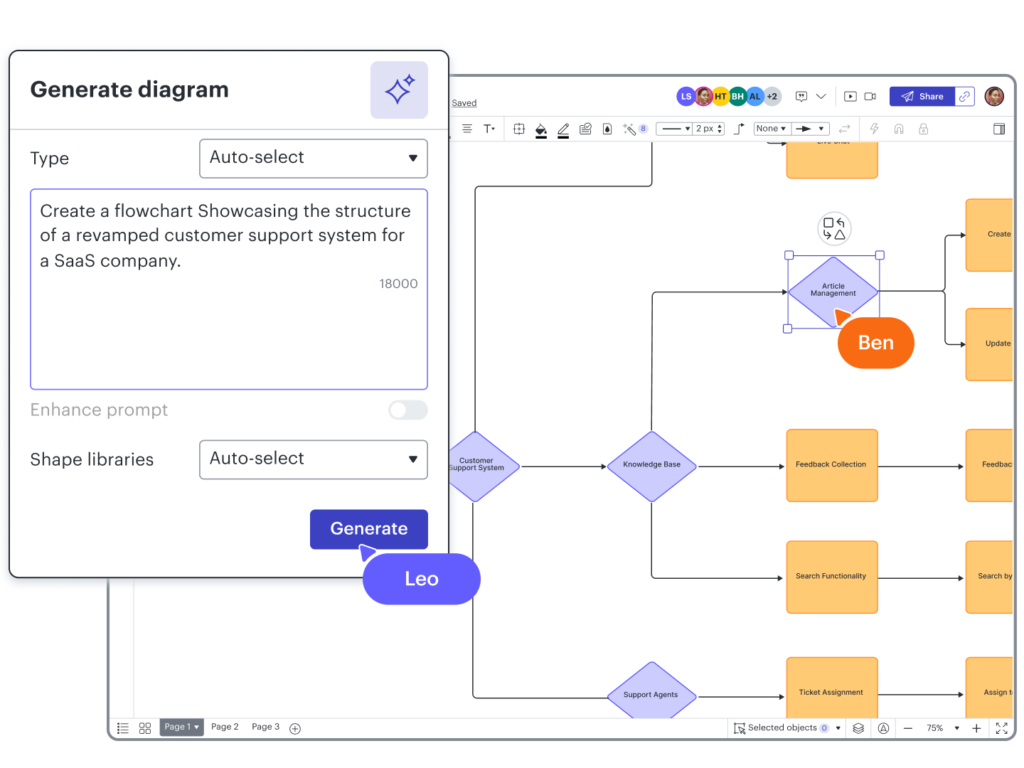
Lucidchart’s AI auto-generates flowcharts, UML diagrams, ERDs, org charts, and more from text prompts, Excel data, CSV files, code snippets, or database schemas. It offers an infinite zoomable canvas with thousands of templates and customizable shapes.
Teams get real-time multi-user editing with comments, mentions, and version history. The app is cloud-based with an offline desktop option, and integrates with Microsoft Teams, Slack, Jira, Confluence, Google Workspace, and Salesforce. Conditional formatting and data linking are also supported.
On the security side, Lucidchart provides SSO, encryption at rest and in transit, GDPR/HIPAA compliance, and audit logs. Exports include PDF, PNG, SVG, Visio, PowerPoint, and Google Slides, with unlimited shapes and storage on premium plans.
Pros and Cons
- Pros. Exceptional real-time collaboration and AI automation speed up complex projects and team workflows. The interface scales from beginners to experts.
- Cons. Advanced AI features and unlimited editing require paid subscriptions. There is a learning curve for custom scripting or automation rules.
Draw.io
Draw.io is one of the most widely used free and open-source diagramming tools available — unlimited diagrams, cross-platform support, and no account required. It is a strong choice for individuals, teams, and developers who want maximum flexibility without a price tag.
Features
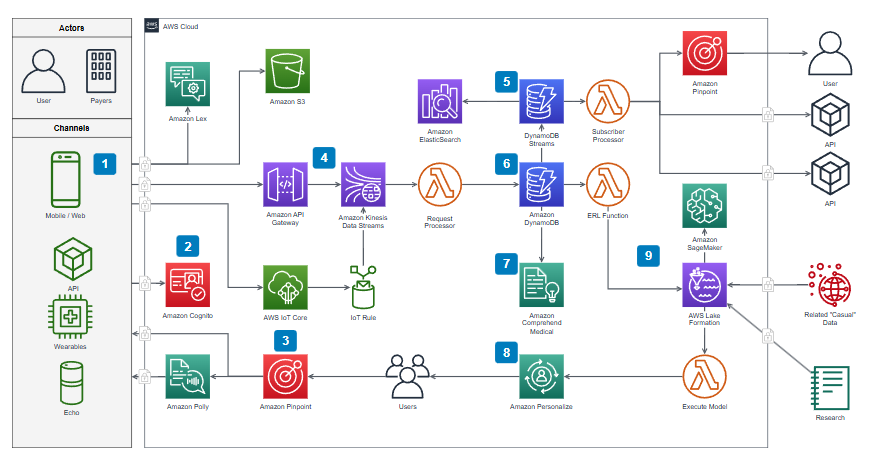
Draw.io offers a comprehensive drag-and-drop library with templates for flowcharts, network diagrams, AWS/GCP icons, UML, wireframes, and entity relationships. It supports import from Excel, CSV, Gliffy, Lucidchart, and images via OCR.
Native integrations with Google Drive, OneDrive, GitHub, SharePoint, and Confluence enable cloud saving and collaboration. The free desktop app works fully offline, and teams can co-edit without creating accounts. Exports cover SVG, PNG, PDF, XML, and JPEG, with no limits on diagrams, pages, or users.
Pros and Cons
- Pros. 100% free with no feature restrictions. Excellent cross-device flexibility, offline mode, and easy team sharing via links or embeds.
- Cons. No native AI diagram generation — relies on external plugins for AI features. The interface prioritizes function over visual polish, which may not suit all users.
Miro
Miro takes a different approach, centering on an infinite canvas designed for remote teams, brainstorming, and agile planning, making it a natural fit for workshops and cross-functional collaboration.
Features
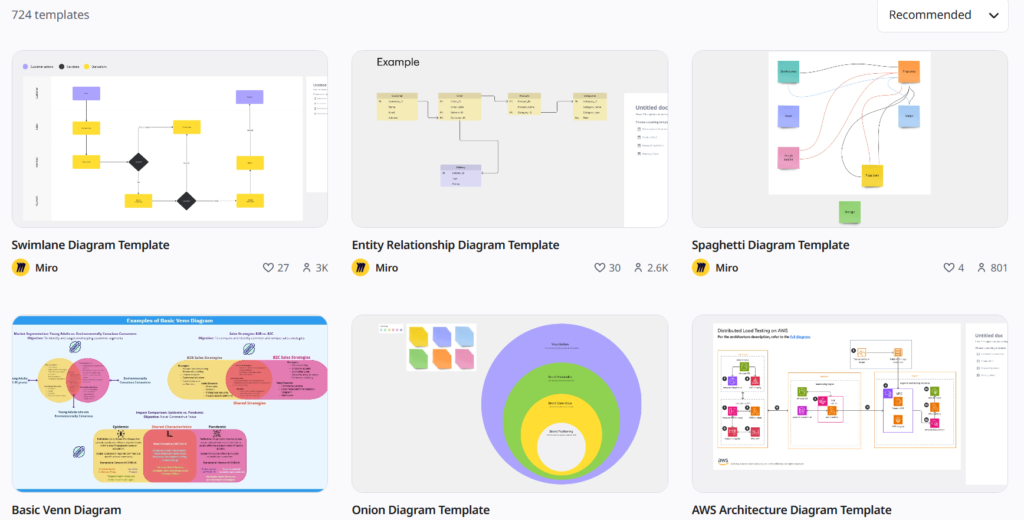
The built-in AI generates diagrams, flowcharts, mind maps, and user journeys from text prompts, tables, or sticky notes. Miro offers 300+ templates, customizable shapes and icons, and clustering tools.
Teams can work simultaneously with unlimited collaborators using voting, timers, and comments. Deep integrations include Jira, Trello, Slack, Microsoft Teams, Figma, and Asana, with the ability to embed docs, videos, and iframes. A generous free plan, enterprise SSO, mobile and desktop apps, and PDF/image/CSV exports round out the offering.
Pros and Cons
- Pros. Unmatched for creative workshops, large-team ideation, and hybrid work. The expansive canvas and free tier make starting projects fast and accessible.
- Cons. Too feature-heavy for users who only need basic flowcharts or org charts. Unlimited boards and AI tools require upgrading to paid plans.
Microsoft Visio
Microsoft Visio remains a staple for professional diagramming, offering deep Office ecosystem integration and robust data connectivity for enterprise users.
Features
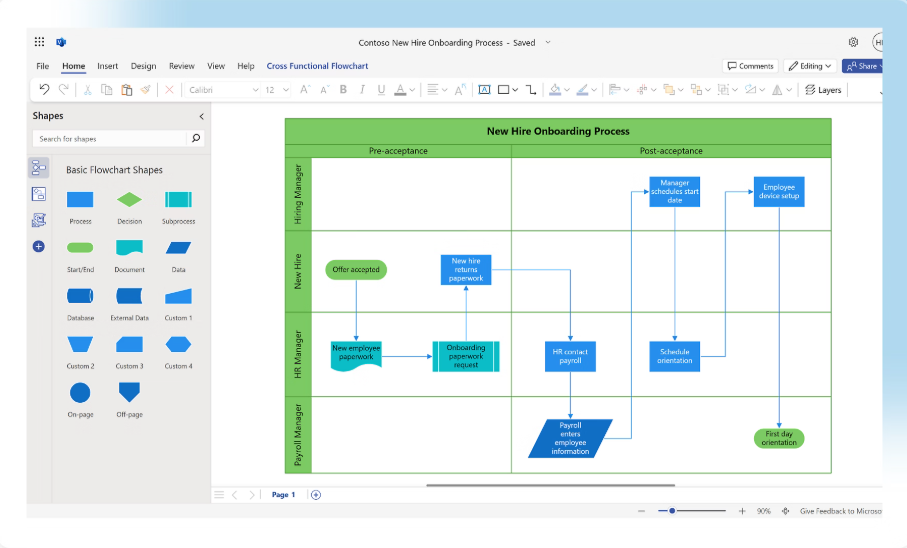
Visio provides AI-assisted layout and auto-generation from Excel data, databases, SharePoint lists, or text. Specialized templates cover floor plans, IT networks, BPMN, and AWS architecture.
Real-time co-authoring is available in both the web and desktop versions. Visio integrates with Teams, Power BI, Excel, and Project, and allows shapes to link to live data, so when source data changes, diagrams update automatically without manual redrawing.
Enterprise-grade security is provided through Microsoft 365, with exports to PDF, SVG, and PNG.
Pros and Cons
- Pros. Unrivaled data integration and precision for technical diagrams. Ideal if your team already uses the Microsoft ecosystem.
- Cons. Higher cost without a Microsoft 365 bundle. Steeper learning curve for non-technical users compared to drag-and-drop competitors.
EdrawMax
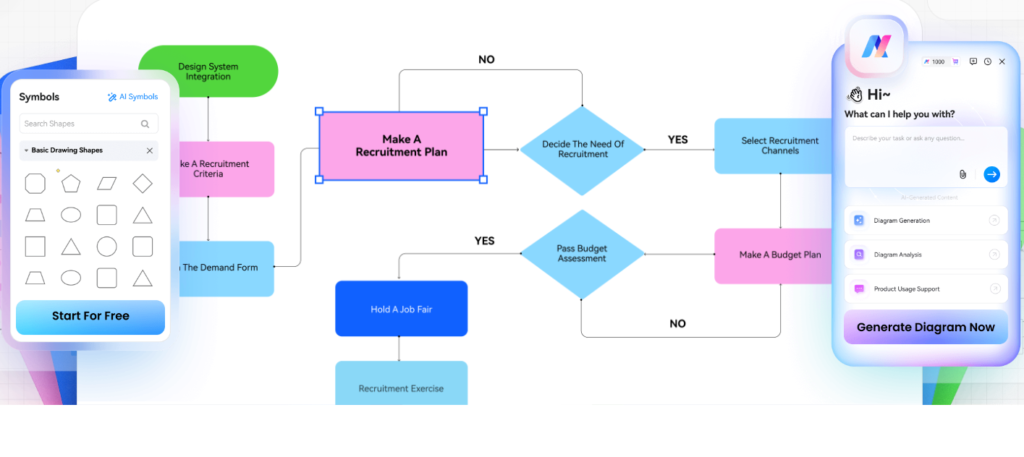
EdrawMax stands out in 2026 for the sheer breadth of its AI-powered diagram types: over 280, including UML, network diagrams, floor plans, Gantt charts, and more, all in one application. It suits users who want a single all-in-one solution rather than multiple specialized tools.
Features
EdrawMax’s AI converts text prompts, mind maps, images, code, or Office files into flowcharts, Gantt charts, circuit diagrams, and more. A massive template and shape library accompanies the AI engine.
Cloud collaboration with real-time editing and sharing is available across desktop, web, and mobile apps, with integrations for Google Drive, Dropbox, OneDrive, and Excel. Export to 20+ formats including Visio, PDF, HTML, and Word, with industry standards support (UML, BPMN, ERD). A free version is available, with premium upgrades for heavier use.
Pros and Cons
- Pros. The broadest diagram variety and AI capabilities in a single app. Affordable plans with lifetime license options.
- Cons. The interface can feel cluttered. Some AI outputs need manual refinement for complex diagrams.
What about AI Diagram Software?
AI diagram tools have changed how teams build visuals — converting text, code, data, and sketches into professional diagrams in seconds. Here are the core capabilities that make these tools useful in practice:
- Converts natural language prompts into structured flowcharts and process maps
- Transforms code repositories into architecture diagrams and sequence flows
- Generates entity-relationship diagrams and data models from database schemas
- Creates org charts and data visualizations from Excel spreadsheets
- Turns screenshots and hand-drawn sketches into polished wireframes
- Produces mind maps and decision trees from meeting notes
- Applies automatic layouts, smart connections, and professional styling
- Generates multiple diagram types from a single input (flowchart + ERD + wireframe)
These tools support real-time collaborative editing with version history, integrations with developer tools (VS Code, GitHub, Jira), enterprise security, SSO, compliance protocols, customizable templates, and flexible exports (PDF, PNG, SVG, interactive HTML). They can dramatically reduce manual drawing time, generating first drafts in seconds for agile prototyping, technical documentation, business process modeling, and rapid idea validation.
ClickHelp’s Diagram Capabilities
ClickHelp is built for technical writers and documentation teams, and it includes diagram support through integrations with leading external tools. Here is a breakdown of its key capabilities.
Key features:
- Embed diagrams from draw.io, Lucidchart, or Gliffy directly into documentation topics via iFrame or SVG — no switching between platforms during review.
- Import content from Word, PDF, HTML, Markdown, Google Docs, and CHM, with advanced WYSIWYG editing including syntax highlighting and responsive web/mobile design.
- Full team collaboration through shared workspaces, role-based permissions, review comments with @mentions, TODO lists, and version history with topic comparison and restore.
- Single-sourcing for multi-format publishing (WebHelp, CHM, PDF, DOCX, ePub) with topic-level reusability, conditional content, automated TOC generation, pre-built templates, and multimedia embedding.
- Accessibility-compliant reader interface meeting WCAG 2.2 Level AA and Section 508 standards, with an intuitive interface, learning center, video tutorials, blog resources, and customer support.
ClickHelp streamlines technical documentation by combining documentation management, single-sourcing, AI writing tools (WriteAssist and Ask Your Docs), and third-party diagram integrations in one cloud-based platform, without the need to maintain separate toolchains.
Conclusion
Choosing the right diagramming software depends on your team’s needs. Lucidchart and Miro lead for AI-powered collaboration and enterprise workflows, while Draw.io remains the go-to free flowchart software with no restrictions. EdrawMax and Visio suit specialized use cases with strong data import from Excel or code. ClickHelp is the natural fit for technical writers who need diagram embedding inside a full documentation platform. Start with free trials and template galleries to find what works for your team — then scale from there.
Good luck with your technical writing!
Author, host and deliver documentation across platforms and devices
FAQ
What is the best free flowchart software for teams?
Draw.io, Miro free tier, Excalidraw, yEd Graph Editor, and LibreOffice Draw all offer strong free or open-source options with unlimited templates, cloud sharing, live collaboration, offline support, and exports suited for flowcharts, mind maps, and technical diagrams.
What is the best program to create a flowchart?
For most teams, Lucidchart or Draw.io are the top choices: Lucidchart for AI-powered generation and enterprise collaboration, Draw.io for unlimited free use across all devices. Miro is ideal for visual workshops, while Visio and EdrawMax suit more technical or specialized flowchart needs.
How do you get started with diagramming tools quickly?
Create a free account on Lucidchart, Draw.io, or Miro. Browse the template gallery, input a text prompt or import Excel data, invite team members for live editing, then explore onboarding videos and help centers to unlock advanced features.
What security features do enterprise diagram tools provide?
Enterprise platforms like Lucidchart, Miro, and Microsoft Visio offer encryption at rest and in transit, SSO/SAML, GDPR/SOC2/HIPAA compliance, granular permissions, activity logs, data residency options, and private deployments to protect sensitive projects and user data.