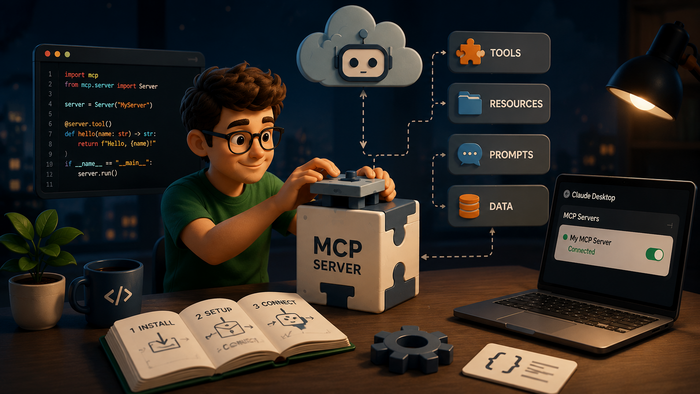
AI coding assistants can write complex code, explain architecture, and catch bugs. However, without MCP servers, they cannot do anything in the real world. An AI agent cannot read your files, query your database, or create a ticket in your issue tracker. MCP servers turn a chatbot into a working tool.
Choosing one is harder than it should be. By May 2026, over 22,000 MCP servers have been registered in the Glama catalog. Most are single-developer projects. Security researchers have already found vulnerabilities in roughly 66% of popular servers, including a remote code execution flaw in a server with more than 150 million downloads.
This is not an exhaustive catalog — it is a decision framework. Read it by role, install a small stack, and only then expand. The goal is not to know every server, but to know the 3–5 that make your work faster.
How to Use This Catalog
The servers here are grouped by job, not alphabetically or by star count, because “the best server” depends entirely on your workflow. For each MCP server you’ll find: what it does in one sentence, who it’s best for, whether it’s free or requires an API key, and one honest limitation you should know before installing.
Keep no more than 5–6 active servers at a time. Each one spawns a subprocess, and an overloaded stack can noticeably slow down Claude and other MCP-enabled assistants.
Baseline Stack: Where to Start
If you are new to MCP and not sure where to begin, three servers cover 80% of most developers’ daily needs: Filesystem, GitHub MCP, and Context7 (or Brave Search if you need broader web access). Install these three, use them for a week, and only then add more based on what you actually miss.
The rest of this catalog is organized by use case — pick the category that matches your role.
Core Servers by Use Case
Files and Code
Filesystem MCP (Official Anthropic server)
Gives Claude read/write access to your local file system within directories you explicitly allow. Without it, the assistant is limited to working with content you paste manually.
- Best for: every developer — this is the foundation of any MCP setup.
- Price: free, open source.
- Key strength: official, maintained by Anthropic, and stable.
- Limitation: local filesystems only — no cloud storage.
- Example prompt: “Read every Python file in /src and write a one-line description of each module.”
This single server eliminates half of all “paste me your code” conversations. It also makes advanced workflows possible: the assistant can walk your directory tree, understand module boundaries, and suggest changes that respect your actual structure. If you are concerned about security, constrain the allowed directories tightly — only expose your project root and a few subfolders, not your entire home directory.
Development and Git
GitHub MCP (Official Anthropic server)
Connects Claude to the GitHub API: read issues, review PRs, search commits, trigger workflows — without leaving your editor.
- Best for: developers who want to work with GitHub directly from their chat or IDE.
- Price: free, requires a GitHub token.
- Key strength: you stop opening the GitHub UI for routine tasks.
- Limitation: each MCP call costs roughly 32× more tokens than the equivalent gh CLI command — for high-frequency operations, the CLI is more economical.
- Example prompt: “Summarize the last 5 PRs I reviewed. Flag any that look like they might have security issues.”
Use GitHub MCP for tasks that benefit from context and summarization: triaging issues, generating release notes, or explaining the history of a module. If your team uses GitHub Actions heavily, you can ask the assistant to describe recent workflows, suggest improvements, or generate new workflow files based on your existing patterns.
Documentation and Live Data
Two complementary options:
Context7
Retrieves up-to-date library documentation in real time — Claude stops hallucinating outdated APIs.
- Best for: developers working with rapidly evolving frameworks (React, Next.js, FastAPI).
- Price: free.
- Limitation: only works for libraries indexed by Context7 — won’t help with rare or proprietary frameworks.
- Example prompt: “Build a React Hook Form with validation, use context7.”
Brave Search MCP
Gives Claude access to live web search via Brave’s independent search index, removing the training cutoff limitation.
- Best for: anyone who needs current information — news, documentation, CVEs.
- Price: requires a Brave Search API key (free tier: 2,000 requests/month).
- Limitation: search quality can fall short of Google for niche technical queries.
- Example prompt: “Find recent CVE vulnerabilities in the requests Python library from the last 3 months.”
Use Context7 for library-specific questions and Brave Search for broader, time-sensitive queries. Together, they keep your knowledge both deep and current.
Browser and Web Automation
Playwright MCP (Official Microsoft server)
Controls a real browser: opens pages, clicks elements, fills forms, takes screenshots. Over 30,000 GitHub stars as of May 2026 — the second most popular MCP server in the ecosystem.
- Best for: QA engineers and frontend developers testing web interfaces.
- Price: free, open source.
- Key strength: uses accessibility snapshots rather than screenshots — understands page structure more accurately and faster than vision-based approaches.
- Limitation: resource-intensive; noticeably slower on low-end machines.
- Example prompt: “Open the registration form at example.com, fill in test data, and verify the success message appears.”
Firecrawl MCP
Web scraping without writing code — Claude collects data from websites and returns it as Markdown or JSON.
- Best for: marketers, analysts, and developers who need quick scrapes without configuring BeautifulSoup or Scrapy.
- Price: requires a Firecrawl API key (free tier available).
- Key strength: handles JavaScript-rendered sites that traditional parsers cannot read.
- Limitation: paid at higher volumes; some sites with strong anti-bot protection block it.
- Example prompt: “Collect all articles from example.com/blog and return them as a list with titles and dates.”
Use Playwright when you need to interact with a page (tests, forms) and Firecrawl when you just need to extract content.
Productivity and Task Management
Notion MCP (Official Notion server)
Reads and creates pages, databases, and records inside your Notion workspace.
- Best for: teams using Notion for docs, tasks, or knowledge bases.
- Price: requires a Notion API key (free for personal accounts).
- Key strength: bidirectional access — Claude doesn’t just read, it creates and edits content.
- Limitation: Notion’s API is slower than the native UI; complex block structures sometimes lose fidelity.
- Example prompt: “Create a meeting notes page in Notion: attendees — [list], decisions — [list].”
Linear MCP (Official Linear server)
Connects Claude to the Linear issue tracker: create tickets, change statuses, assign people.
- Best for: engineering teams running sprints in Linear.
- Price: requires a Linear API key (included in existing Linear subscription).
- Key strength: full CRUD coverage, fast API, official OAuth support.
- Limitation: bulk operations are not optimized — it loops one at a time.
- Example prompt: “Create a Linear issue: ‘Fix auth bug’, priority High, assign to me.”
Databases
Supabase MCP (Official Supabase server)
Connects Claude to your Supabase project: read and write data, explore schema, run SQL queries.
- Best for: developers using Supabase as their backend.
- Price: requires a Supabase API key (within an existing project).
- Key strength: Claude understands the table schema and builds correct queries without you manually explaining the database structure.
- Limitation: direct database access — token permissions must be carefully scoped.
- Example prompt: “Find all users who signed up in the last 7 days but haven’t confirmed their email.”
Supabase MCP is especially powerful combined with Filesystem and GitHub MCP: the assistant can read your code, understand your schema, and generate queries or migrations that match your actual data model.
Design
Figma MCP (Official Figma server)
Gives Claude access to Figma Dev Mode: layer structure, auto-layout, variants, design tokens.
- Best for: frontend developers turning Figma designs into code.
- Price: requires a Figma account with Dev Mode access.
- Key strength: Claude generates component code that matches the actual design spec — exact border radius, correct token names, real spacing values.
- Limitation: complex pages generate large JSON payloads — select specific frames rather than full files to control token cost.
- Example prompt: “Generate a React component from the ‘Card’ frame in this Figma file, using Tailwind CSS.”
Technical Documentation
Connects Claude and other AI agents to a ClickHelp portal: read topics, create and edit content, work with the documentation structure directly from an editor or chat interface.
- Best for: technical writers and documentation teams working in ClickHelp.
- Price: included in ClickHelp subscription (requires portal API key).
- Key strength: direct integration into the technical writer’s workflow — an AI agent can read existing documentation, create new topics, and update content without manual copy-pasting between tools.
- Limitation: works only with ClickHelp portals.
- Example prompt: “Read all topics in the ‘API Reference’ project and create a summary topic with a table of contents and a one-sentence description of each section.”
Comparison Table
The table below summarizes the practical trade-offs between the recommended MCP servers. It is designed to help you choose quickly based on your constraints: budget, willingness to manage API keys, and how much time you want to spend on setup.
| Server | Category | Free | Requires API Key | Setup Complexity |
| Filesystem | Files and Code | ✅ | ❌ | Low |
| GitHub MCP | Development and Git | ✅ | ✅ (GitHub token) | Low |
| Context7 | Documentation | ✅ | ❌ | Very low |
| Brave Search | Live Data and Search | Partially | ✅ (Brave API key) | Low |
| Playwright | Browser Automation | ✅ | ❌ | Medium |
| Firecrawl | Web Scraping | Partially | ✅ (Firecrawl API key) | Low |
| Notion MCP | Productivity | ✅ | ✅ (Notion API key) | Low |
| Linear MCP | Task Management | ✅ | ✅ (Linear API key) | Low |
| Supabase MCP | Databases | ✅ | ✅ (Supabase API key) | Medium |
| Figma MCP | Design | ✅ | ✅ (Figma account + Dev Mode) | Low |
| ClickHelp MCP | Technical Docs | ❌ | ✅ (ClickHelp API key) | Low |
“Free” means the server itself is free to install and run. Underlying service costs are reflected in the “Requires API Key” column.
Who Should Install What: Three Scenarios
Instead of trying to install everything, pick a scenario that matches your role and start with that stack.
Developers New to MCP
Start with three servers:
- Filesystem
- GitHub MCP
- Context7
Get comfortable with them, then expand only when you hit a concrete gap. Typical next steps: Brave Search if you frequently need external context, Supabase if your backend runs there, Playwright if you maintain frontend tests.
Technical Writers and Content Managers
Your baseline stack:
- Filesystem
- Brave Search
- ClickHelp MCP
Claude will read your drafts, look up current information, and create or update topics directly in ClickHelp — no manual copy-pasting between tools. If you use Notion for drafts, add Notion MCP as a fourth server. Beyond that: GitHub MCP if your team ties documentation changes to issues or PRs, Firecrawl if you gather external content (release blogs, RFCs, standards) to turn into documentation topics.
For writers, the value isn’t just faster drafting — it’s consistency. The assistant can read existing topics and ensure new content follows the same structure, terminology, and style.
Frontend Developers
A strong frontend stack:
- Filesystem
- GitHub MCP
- Playwright
- Context7
- Figma
Playwright handles testing, Context7 keeps React/Vue/Angular documentation current, and Figma closes the design-to-code gap. That’s already five servers — resist adding more unless a specific gap appears. If you work with a Supabase backend, add that one and stop there.
Security: What You Need to Know Before Installing
MCP servers can read files, access databases, and interact with your code and productivity platforms. The security situation is already serious: in April 2026, OX Security disclosed an RCE vulnerability in an MCP server with over 150 million downloads, and over 30 CVEs were filed against popular MCP servers in early 2026 (OX Security advisory).
Practical rules:
- Use only official vendor servers (GitHub, Notion, Linear, Figma, Supabase, ClickHelp) or servers with a genuine commit history, active maintainers, and visible code review.
- Issue API tokens with minimum permissions — never give write access where read-only is sufficient.
- Pin server versions — don’t use latest, specify a concrete tag or version.
- Don’t copy MCP JSON configs from unverified sources — review them before running.
When using database or filesystem servers: limit directory exposure to specific project folders, use read-only database tokens for assistants that only need to query, and regularly audit which servers are active.
Treat each new server as a security decision, not a convenience. If a server is not actively maintained, skip it.
Where to Find More Servers (Safely)
Three sources worth trusting:
- Official Anthropic registry — reference implementations from vendors and core maintainers.
- Glama MCP Directory — the largest catalog with ratings and filters. Check commit history and reviews before installing.
- MCP.so — aggregator with good category search. Verify maintainers and activity.
For technical writers: [INTERNAL LINK] “How to Build Your Own MCP Server: A Step-by-Step Guide” — useful if you need custom integrations beyond what existing servers provide.
When evaluating any new server: look for recent commits, clear documentation, and explicit permission requirements. Avoid servers that ask for broad permissions, have no visible maintainers, or rely on opaque binaries.
Conclusion
Start with three servers that match your main use case. Get used to how Claude works with tools, then add servers one at a time as concrete needs appear. Most developers settle on 5–6 servers — that’s the right number.
The MCP ecosystem is moving fast. Watch the official registry — genuinely useful new servers appear every month. But apply the same rule each time: identify a real gap first, then find the server that closes it.
Good luck with your technical writing!
Author, host and deliver documentation across platforms and devices
FAQ
What is an MCP server and why do I need one?
MCP (Model Context Protocol) is an open standard that lets AI assistants like Claude connect to external tools and data sources. Without MCP servers, the assistant can only work with content you paste into the chat. With them, it can read your files, query your database, manage GitHub issues, or update documentation directly — without manual copy-pasting.
How many MCP servers should I run at once?
Keep it to 5–6 active servers at most. Each server spawns a subprocess in the background, and running too many noticeably slows down Claude’s response time. Start with three, add more only when you hit a specific gap.
Are MCP servers safe to use?
Safety varies significantly. In April 2026, a remote code execution vulnerability was disclosed in an MCP server with over 150 million downloads. The safest approach: use only official vendor servers (GitHub, Notion, Linear, Figma, Supabase, ClickHelp), pin server versions instead of using latest, issue API tokens with minimum required permissions, and never run configs copied from unverified sources.
What is the difference between Filesystem MCP and a cloud storage integration?
Filesystem MCP gives Claude access to your local file system — the directories on your machine that you explicitly allow. It does not connect to cloud storage like Google Drive or Dropbox. For cloud files, you need a separate integration specific to that service.
Do I need to pay for MCP servers?
The servers themselves are generally free to install. However, many require an API key from the underlying service — some of those services have free tiers (Brave Search, Firecrawl, Notion), while others require an existing paid subscription (Linear, ClickHelp). The comparison table in this article shows the cost structure for each server.
What is the best MCP server for technical writers?
The practical baseline for technical writers is: Filesystem + Brave Search + ClickHelp MCP. Filesystem lets Claude read your drafts, Brave Search keeps information current, and ClickHelp MCP lets Claude create and update topics directly in your portal without manual copy-pasting. If you draft in Notion first, add Notion MCP as a fourth server.