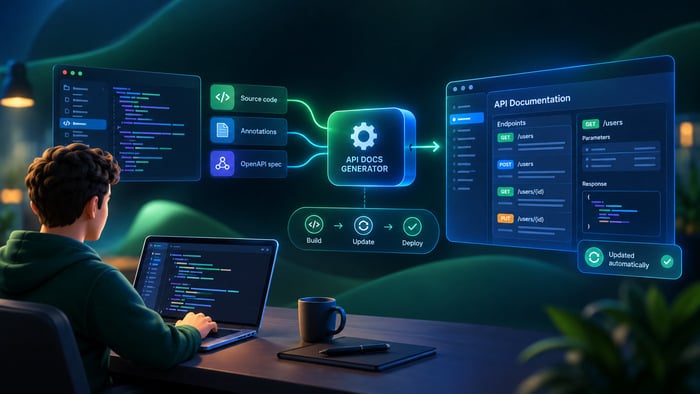
In Part 1: What Is Documentation as Code and Why Do You Need It? we explored what Documentation as Code is, how it works, and why many engineering teams adopt it. By treating documentation like software, storing content in Git repositories, building sites through CI/CD pipelines, and versioning documentation alongside code releases, teams gain automation, traceability, and strong alignment with development workflows.
For developer-led documentation, this approach works extremely well.
However, when documentation expands beyond developer-owned README files into large documentation portals maintained by technical writers, product teams, and external contributors, new challenges begin to appear.
This doesn’t mean Docs as Code is fundamentally flawed. Instead, it highlights an important reality: the workflow that works perfectly for developer documentation may not scale equally well for every documentation scenario.
In this article, we examine the most common challenges teams encounter as their documentation grows, and how some organizations address these limitations through hybrid documentation platforms that combine structured workflows with more accessible content management.
The Downsides of Docs as Code
As documentation grows from small repositories to large portals with hundreds or thousands of topics, several constraints can emerge.
These are not failures of the model itself. They are practical limitations that affect how different teams collaborate around documentation.
High Barrier to Entry
Docs as Code relies on plain-text formats like Markdown or AsciiDoc. These formats are efficient for developers but can feel restrictive for writers accustomed to specialized documentation tools like MadCap Flare or Adobe FrameMaker.
Creating longer manuals or structured guides in plain text often requires:
- manual formatting
- external preview tools
- additional plugins for diagrams, tables, or formatting
The bigger challenge is usually the surrounding toolchain, which often includes:
- Git for version control
- static site generators such as Hugo, MkDocs, or Docusaurus
- CI/CD configuration (GitHub Actions, Jenkins, GitLab CI)
- branching workflows and pull requests
For experienced developers this environment is familiar. For many technical writers, however, learning Git workflows and CI pipelines can take time.
Organizations adopting Docs as Code often discover that writer onboarding requires training in tools that were originally designed for developers, which can slow early adoption.
No Visual Editing for Non-Technical Teams
Most Docs as Code workflows rely on code-based editing rather than visual editing.
Writers edit Markdown files and preview the result only after a local build or preview server runs.
For simple content this works well. But for more complex structures—tables, diagrams, or embedded media—editing raw text can become cumbersome.
This can complicate collaboration with stakeholders who are not comfortable with Git workflows, such as:
- subject-matter experts
- product managers
- localization teams
- external contributors
These contributors often expect familiar editing environments similar to Google Docs or CMS systems where content can be reviewed visually and comments appear directly in the document.
When collaboration happens through pull requests and repository comments instead, the process can become less intuitive for non-developers.
Challenges Scaling Documentation Portals
Documentation portals for modern products are rarely simple collections of pages.
Enterprise-scale documentation often includes:
- thousands of topics
- multiple product versions
- extensive cross-linking
- multilingual content
- API references and tutorials
Static site generators can handle these structures, but scaling them often requires custom configuration and plugins.
Common challenges include:
- managing complex navigation hierarchies
- integrating search across large content sets
- maintaining localization workflows
- implementing content reuse strategies
Many teams address these challenges successfully with custom tooling or extensions. However, maintaining this infrastructure can increase operational overhead as documentation grows.
Toolchain Complexity
One characteristic of Docs as Code ecosystems is that many capabilities come from external tools rather than a single platform.
A typical stack might include:
- a static site generator (MkDocs, Hugo, Docusaurus)
- a documentation theme
- CI/CD pipelines
- deployment infrastructure
- plugins for search, PDF generation, or diagrams
Individually these tools are powerful. Together they create a flexible ecosystem.
But they also introduce configuration overhead. Updating documentation workflows sometimes requires changes across multiple tools and configuration files.
For engineering-heavy teams this flexibility is an advantage. For documentation teams focused primarily on content creation, maintaining the toolchain can become an additional responsibility.
Limitations of Static Site Generation (SSG)
Static site generation is one of the foundations of Docs as Code workflows.
Static sites provide major benefits:
- excellent performance
- strong security
- simple hosting through CDNs
However, static architectures can also introduce limitations when documentation portals require more dynamic behavior.
Analytics and User Behavior Insights
Static documentation sites typically rely on external analytics platforms such as Google Analytics, Plausible, or Mixpanel to understand reader behavior.
While these integrations work well, they often require additional configuration to track documentation-specific metrics such as:
- which guides users finish reading
- where users abandon tutorials
- which search queries return no results
Dedicated documentation platforms sometimes provide these insights directly within the system.
Authentication and Access Control
Another challenge appears when documentation must include restricted or role-based content.
Examples include:
- partner documentation
- internal product documentation
- gated API specifications
Because static sites generate HTML files ahead of time, implementing authentication often requires additional infrastructure such as:
- edge functions
- custom middleware
- identity providers
These approaches are effective but can increase architectural complexity compared to systems where permissions are built into the platform.
Large Portal Build Times
As documentation repositories grow larger, site build times can increase, particularly for generators that rebuild the entire site on each change.
Modern tools increasingly support incremental builds or caching, but large portals may still require several minutes for full deployments.
For teams that update documentation frequently—such as daily API changes—this can slow the publishing workflow compared with platforms that update individual pages instantly.
Where Hybrid Solutions Emerge
Because of these operational challenges, some organizations adopt hybrid documentation platforms.
These systems combine elements of Docs as Code with features typically found in documentation management systems.
Common characteristics include:
- visual editing environments
- built-in publishing infrastructure
- version management
- structured content organization
- optional integrations with development workflows
Examples of such platforms include Paligo, Document360, and ClickHelp.
The goal of hybrid approaches is not to replace Docs as Code entirely, but to reduce friction for documentation teams while preserving structured workflows and export capabilities.
How ClickHelp Addresses Docs as Code Pain Points
ClickHelp is one example of a hybrid documentation platform designed to simplify documentation management while supporting structured, professional workflows. It bridges the gap between traditional Help Authoring Tools (HAT) and modern Docs as Code environments.
Project Backup for Compliance and Archival
For organizations in regulated industries, documentation must be preserved for audits. ClickHelp provides a Project Backup feature (accessible via the UI or REST API) that exports projects as ZIP archives. These archives contain:
- Topic content in HTML format
- JSON metadata
- XLIFF files for all project translations
- All associated assets (images, styles, and scripts)
This allows teams to store documentation snapshots in external repositories or archival storage, satisfying compliance requirements without complicating the daily authoring process.
Visual Editing with Version History
ClickHelp delivers a professional WYSIWYG editor featuring:
- Live Preview: Real-time visualization of how content will look in the final portal.
- Asset Management: Centralized File Storage with drag-and-drop support.
- Collaborative Review: Inline Review Comments with @mentions to notify specific team members and ToDo lists for task tracking.
- AI-Powered Writing: The WriteAssist tool (part of the AI Suite) enables authors to improve writing quality, fix grammar, and adjust text tone instantly.
The built-in Version History tracks every content and workflow change. Authors can compare any two versions side-by-side with visual diffs highlighting additions and deletions, or perform a Rollback to restore previous states.
Single Sourcing and Structure
Authors can manage complex content sets using:
- Snippets: For reusing common content chunks across multiple topics.
- Variables: For centralized management of product names, dates, or version numbers.
- Conditional Content Blocks: Using Output Tags to create variations of the same project for different audiences or formats.
- Bi-directional Linking: Managed through the Link Viewer, which tracks all inbound and outbound references.
Simplified Publishing
Publishing documentation in ClickHelp does not require manual builds or CI configuration. The platform automatically handles:
- Web Portal Generation: Instant hosting with responsive design templates.
- Security: SSL configuration, Single Sign-On (SSO) support (Google, Microsoft Entra ID, Salesforce), and Restricted Access for specific Power Readers.
- Multi-format Export: One-click generation of PDF, Microsoft Word, CHM, and Web Help (for self-hosting).
This infrastructure allows documentation teams to focus entirely on content creation while the platform ensures high performance and global delivery via CDN.
Scalable Documentation Portals
Hybrid documentation platforms also focus on portal-level capabilities.
ClickHelp portals include such features as: hierarchical navigation, full-text search, role-based access control, analytics dashboards, responsive design
These capabilities allow documentation teams to manage large content sets without maintaining custom site infrastructure.
When Docs as Code Works Best
Docs as Code remains an excellent solution for many teams, particularly in engineering-driven environments where documentation is tightly integrated with the development process. When developers are the primary contributors, storing documentation in Git repositories and managing changes through pull requests feels natural. Documentation can evolve alongside the codebase, and releases can be synchronized with software updates through automated CI/CD pipelines.
This approach is especially effective for technical reference materials such as API documentation, SDK guides, and developer tutorials. In these cases, the documentation lifecycle closely mirrors the software lifecycle, and teams already rely on Git workflows for collaboration, reviews, and version control. For organizations with strong DevOps cultures, Docs as Code allows documentation to become a natural extension of the development workflow rather than a separate publishing process.
When Hybrid Platforms Make Sense
Hybrid documentation platforms tend to work better in environments where documentation involves a broader group of contributors beyond developers. In many organizations, large documentation portals are maintained by dedicated technical writing teams while product managers, subject-matter experts, and support engineers also contribute feedback and updates. In these cases, a visual editing environment and built-in collaboration tools can significantly simplify the workflow.
Hybrid systems are also useful when documentation grows into complex portals with extensive navigation structures, multiple products or versions, and multilingual content. Instead of maintaining multiple tools for editing, publishing, analytics, and access control, teams can rely on integrated platforms that handle these capabilities within a single environment. For organizations that prioritize ease of collaboration and centralized management of documentation portals, hybrid solutions often provide a more streamlined operational model. hybrid systems can reduce operational overhead while still supporting structured documentation practices.
Conclusion: Choose Smart, Not Universal
Docs as Code transformed documentation by bringing the discipline of software development to content management.
Its strengths—automation, traceability, and integration with engineering workflows—remain extremely valuable.
But as documentation teams grow and portals become more complex, some organizations discover that maintaining the full Docs as Code toolchain introduces additional overhead.
Hybrid platforms provide an alternative by combining structured documentation management with visual editing and integrated publishing tools.
Rather than treating these approaches as competing philosophies, many teams view them as different solutions for different documentation environments.
The most effective strategy is not choosing a universal method—but selecting the workflow that best fits your team, your documentation scale, and your collaboration needs.
Good luck with your technical writing!
Author, host and deliver documentation across platforms and devices
FAQ
Is Docs as Code still relevant today?
Yes. Docs as Code remains one of the most effective documentation approaches for developer-focused teams. When documentation is closely tied to code repositories, managing content in Git allows teams to version documentation alongside software releases, automate publishing through CI/CD pipelines, and maintain a clear audit trail of changes.
Many engineering organizations continue to rely on Docs as Code for API documentation, SDK guides, and developer tutorials where developers are the primary contributors.
What are the biggest challenges of Docs as Code?
The most common challenges appear when documentation involves contributors who are not comfortable with Git workflows.
Technical writers, product managers, and subject-matter experts may find command-line tools, branching strategies, and pull request reviews less intuitive than visual editing environments.
In addition, managing large documentation portals with thousands of topics can require additional tooling for search, localization, analytics, and access control.
Do hybrid documentation tools replace Docs as Code?
Not necessarily.
Hybrid platforms are often used in environments where documentation involves a broader set of contributors or where managing the full Docs as Code toolchain becomes operationally complex.
In many organizations, Docs as Code and hybrid systems coexist. Developer documentation may remain in Git repositories, while user documentation portals are managed through documentation platforms.
When should a team consider switching from Docs as Code?
Teams may begin exploring alternatives when documentation workflows start creating operational friction.
Common signals include:
– non-technical contributors struggling with Git workflows
– increasing time spent maintaining documentation toolchains
– difficulties managing large documentation portals or multilingual content
– the need for built-in collaboration or analytics tools
In these cases, teams sometimes evaluate hybrid documentation platforms to simplify the authoring and publishing process.