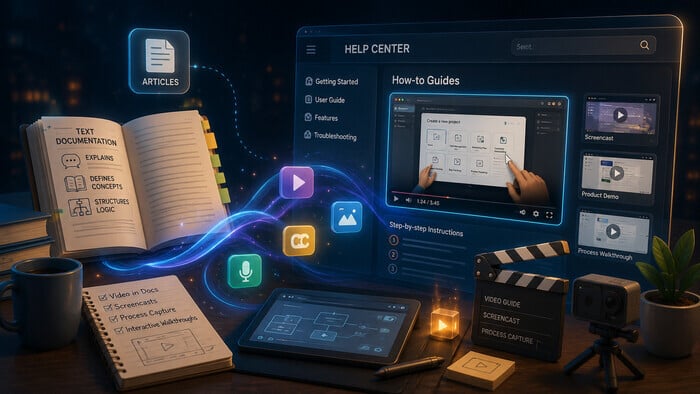
Many traditional documentation formats, such as static PDFs, linear Word documents, and simple web pages, no longer meet users’ expectations for engagement. Studies show that typical completion rates for static e-learning courses and MOOCs (Massive Open Online Courses) are less than 25%, suggesting inefficiency in one-size-fits-all linear content delivery. Interactive formats take a different approach: content is split into short units, readers choose their own route through it, and some training platforms add personalized learning paths on top. Completion rates of 75–85% and retention improvements of up to 50% are possible through interactive means.
Not only does interactive documentation increase completion and comprehension, but it also enhances user satisfaction while reducing the need for additional support. Interactive documents equip users with self-service support, improve product understanding, and drive engagement through multimedia, step-by-step guides, and real-time feedback
What Is Interactive Documentation?
Interactive documentation goes beyond static text and images; it’s a living resource that can include videos, audio clips, animations, buttons, embedded forms, and interactive infographics. Readers move through it at their own pace and jump straight to the sections they need. Depending on the tools a team uses, interactive documentation can also include quizzes, polls, calculators, or live API consoles. This format is particularly useful for sales, marketing, HR, training, and customer support teams presenting complex information in a digestible way.
The term “interactive documentation” emerged as static documents became insufficient for modern digital needs. As technology advanced, more participatory content became necessary. You may also see it called dynamic or smart documentation. Related concepts include interactive learning, guides, and manuals, all emphasizing user participation and real-time feedback.
Why Interactive Documentation Matters
Interactive documentation allows engagement, retention, and satisfaction to be tracked.
- Higher engagement: Interactive content can increase engagement by up to 50% compared to static formats. For instance, a retail brand saw a 50% increase in click-through rates and a 20% rise in sales after using interactive infographics
- Better information retention: Participation via interactive elements improves retention. A university reported a 30% increase in course completion with higher student satisfaction.
- Personalized documentation: When content is filtered by role, product edition, or task, readers don’t have to wade through instructions that don’t apply to them. Teams get there in different ways: separate outputs for each audience, guided flows, or an AI documentation assistant that answers a specific question.
- Actionable insights: Analytics track behavior, measure engagement, and improve content iteratively. Interactive infographics increase retention and engagement.
These points demonstrate that interactive documentation is not a fad but an effective strategy to boost engagement, retention, and insight.
How to Make Documentation Interactive
Interactive documentation transforms how teams create and consume content. Best practices include:
- Non-linear thinking: Design content as a system, not a single narrative. Allow users to scan, click, and jump around.
- Incorporate multimedia: Use videos, audio, animations, and interactive graphics. Keep them short and relevant.
- Respect copyright: Ensure all media is properly licensed.
- Leverage design tools: Tools like Adobe, Sketch, Figma, PowerPoint, and Google Slides help create interactive layouts.
- Interactivity: Embed buttons, transitions, videos, and interactive infographics.
- Test and optimize: Use analytics to refine content based on user behavior.
Focus on a user-centered experience, not just adding bells and whistles.
Common Patterns in Interactive Technical Documentation
The patterns below describe what interactive technical documentation can look like across the industry. Each one can be built with different tools, and the effort ranges from a setting in your authoring tool to a custom application.
- Interactive API documentation. Readers send real requests from the reference page and see the response without switching to Postman or a terminal.
- Guided flows and decision trees. The reader answers a few questions and gets routed to the instructions that match their setup.
- Personalized learning paths. A sequence of topics is assembled around the reader’s role or goal, common in onboarding and training.
- Interactive checklists. Readers tick off steps as they complete a setup or migration.
- Embedded tools. Calculators, configurators, and forms placed directly inside a topic.
- AI documentation assistants. Readers ask a question in their own words and get an answer drawn from the documentation.
- Contextual help. The application opens the relevant topic for the screen the user is on.
Examples Across Disciplines
Interactive documentation isn’t limited to technical teams. It brings value across many disciplines. These examples show how different departments use interactive content. Teams usually build them with a mix of design tools, LMS platforms, and form builders, so treat the list as a set of format ideas.
Marketing
- E-books: Fillable lead capture forms, embedded product demo videos, interactive infographics.
- White papers: Hyperlinked sources, clickable table of contents, image galleries.
- Data sheets: Interactive charts, filters, and customized views.
- Reports: Video summaries, audio clips, clickable references.
- Infographics: Scrollable, clickable, animated layouts.
- Case studies: Interactive timelines, embedded testimonials, photo galleries.
- Press kits: Inquiry forms, video press releases, downloadable assets.
- Buyer’s guides: Checklists, ROI calculators, comparison tables.
- Brochures: Navigation buttons, product walkthrough videos, photo galleries.
- Sales decks: Interactive dashboards, live polls, clickable links.
Sales
- Playbooks: Step-by-step walkthroughs, videos, checklists.
- Onboarding guides: Interactive quizzes, tutorials, scenario modules.
- Presentation tools: Live polls, embedded demos, clickable links.
- Dashboards: Real-time data, interactive charts.
Employee Experience
- Training playbooks: Quizzes, video tutorials, scenario modules.
- Onboarding materials: Interactive checklists, videos, links.
- Benefits resources: Calculators, embedded content.
- Newsletters: Videos, hyperlinks, polls.
Advantages of Interactive Documentation
Interactive documentation makes the delivery of information more engaging, collaborative, and competitive. Some key benefits include:
Improved User Experience
Interactive documentation provides users with a richer and more engaging experience because they can easily find and understand the information presented. Clickable diagrams, videos, and interactive tutorials encourage participatory exploration and learning, helping to reduce friction and improve overall satisfaction. According to Forbes, interactive content generates 52.6% more engagement than static content, with users spending an average of 13 minutes interacting with it compared to 8.5 minutes with static content. This demonstrates how effective quizzes, polls, calculators, and other forms of interactive infographics can be. The more digital marketers and content developers adopt these active formats, the more memorable, shareable, and conversion-driving their content becomes.
Better Knowledge Sharing
This means immediate sharing of insights and updates, with teams able to work more effectively. When documentation lives online instead of in PDF attachments, updates reach readers as soon as they’re published, and new employees work from the current version rather than a copy someone saved last quarter.
Competitive Advantage
Organizations that adopt interactive documentation stand out from competitors by offering a fresh, user-friendly approach to information sharing. This leads to higher levels of customer and employee satisfaction and positions the organization as an innovator in its field, attracting more users and clients. Companies that implement interactive documentation often report stronger customer satisfaction metrics and increased client acquisition because their content appears more accessible, up-to-date, and engaging.
Interactive documentation provides a real competitive advantage, helping organizations deliver a superior user experience, foster deeper collaboration, and elevate their brand in a crowded market. By embracing interactive elements, teams can create content that delights, informs, and remains memorable—driving meaningful results for both users and businesses.
How to Build Interactive Documentation with ClickHelp
In ClickHelp, interactive documentation works on three levels. Some capabilities are built into the product and only need configuration. AnswerGenius adds an AI layer on top of your published content. More complex scenarios, such as a guided questionnaire, are custom work your team builds on top of the portal.
Built-in capabilities
Interactive API documentation. Import an OpenAPI specification, and ClickHelp generates reference topics where readers can run real calls with Test Request and see responses in the browser.
Content for different audiences. Conditional content lets you mark parts of a topic for a specific audience, product edition, or platform, then publish separate outputs from a single source. With multi-site setup, each audience can get its own documentation site with its own domain and branding.
Context-sensitive help. Link topics to screens in your application so users land on the right article without searching.
Navigation and multimedia. Full-text search, cross-references, expandable sections, and embedded video help readers find what they need and skip what they don’t.
AI-driven interaction with AnswerGenius
A decision tree only works if the author predicted the reader’s question. AnswerGenius takes a different route: the reader types the question in plain language and gets an answer based on your published documentation. For many teams, this is a more practical way to give each reader only the information relevant to them, because nobody has to design and maintain the branching logic.
Custom interactive experiences
For scenarios beyond the built-in features, ClickHelp is open to customization. You can add custom HTML, CSS, and JavaScript to topics through the Topic Master Page, embed third-party forms and widgets, and connect external applications through the ClickHelp REST API.
For example, a team can build its own guided onboarding experience: the reader answers a few questions about their role and the product modules they use, and a script or an external app returns a set of links to the matching topics on the ClickHelp portal. This is a custom implementation. ClickHelp doesn’t include a visual journey builder, so your team writes the questionnaire logic and keeps it up to date as the documentation changes.
Conclusion
Interactive documentation is less about adding widgets and more about cutting the distance between a reader’s question and the answer. Start with the formats your readers already need, such as a live API console or answers to questions in plain language, and add custom flows where the built-in options stop.
Good luck with your technical writing!
Author, host and deliver documentation across platforms and devices
FAQ
What is interactive documentation?
Interactive documentation is a modern format of technical or product content that allows users not only to read but also to engage with the material. It may include embedded videos, quizzes, expandable sections, animations, interactive API calls, and other elements that help users learn faster and retain information better.
How is interactive documentation different from traditional documentation?
Traditional documentation is static: users can only scroll and read.
Interactive documentation is dynamic: it lets users test, explore, and interact with the product directly inside the documentation. This leads to higher engagement, better comprehension, and reduced support load.
Does adding interactive elements require a lot of maintenance?
It depends on how the element is built. Interactive API documentation generated from an OpenAPI specification updates when the specification changes. Embedded videos and expandable sections stay in place when you edit the surrounding text. Custom elements, such as a JavaScript questionnaire or an embedded third-party form, need an owner who checks them when topics move or links change.
Can interactive documentation improve SEO?
Indirectly — yes. Although search engines don’t read interactive widgets, they track: longer session duration, lower bounce rate, higher user engagement
These behavioral signals can improve page ranking and overall visibility.
Can I test interactive API documentation before implementing it?
Yes. You can try interactive API documentation in ClickHelp using the built-in Test Request feature. It lets you execute real API calls directly from your browser and see responses immediately, without any external tools.
Can I create personalized learning paths in ClickHelp?
ClickHelp doesn’t include a visual builder for learning paths or decision trees. Teams that need one build it on top of the portal with custom JavaScript, an embedded form, or an external app that uses the ClickHelp API. AnswerGenius covers the same need in a different way: instead of answering a fixed set of questions, readers ask their own and get an answer based on the published documentation.
What is an AI documentation assistant?
It’s a chat interface that answers readers’ questions using the content of a documentation portal. Unlike full-text search, it returns an answer rather than a list of pages. In ClickHelp, this role is filled by AnswerGenius.